docker设置国内镜像源
AI 摘要鱼粮不足,AI 今天先歇着 · 正文在下面
1、国内常用加速地址
- Docker中国区官方镜像
https://registry.docker-cn.com - 网易
http://hub-mirror.c.163.com - ustc
https://docker.mirrors.ustc.edu.cn - 中国科技大学
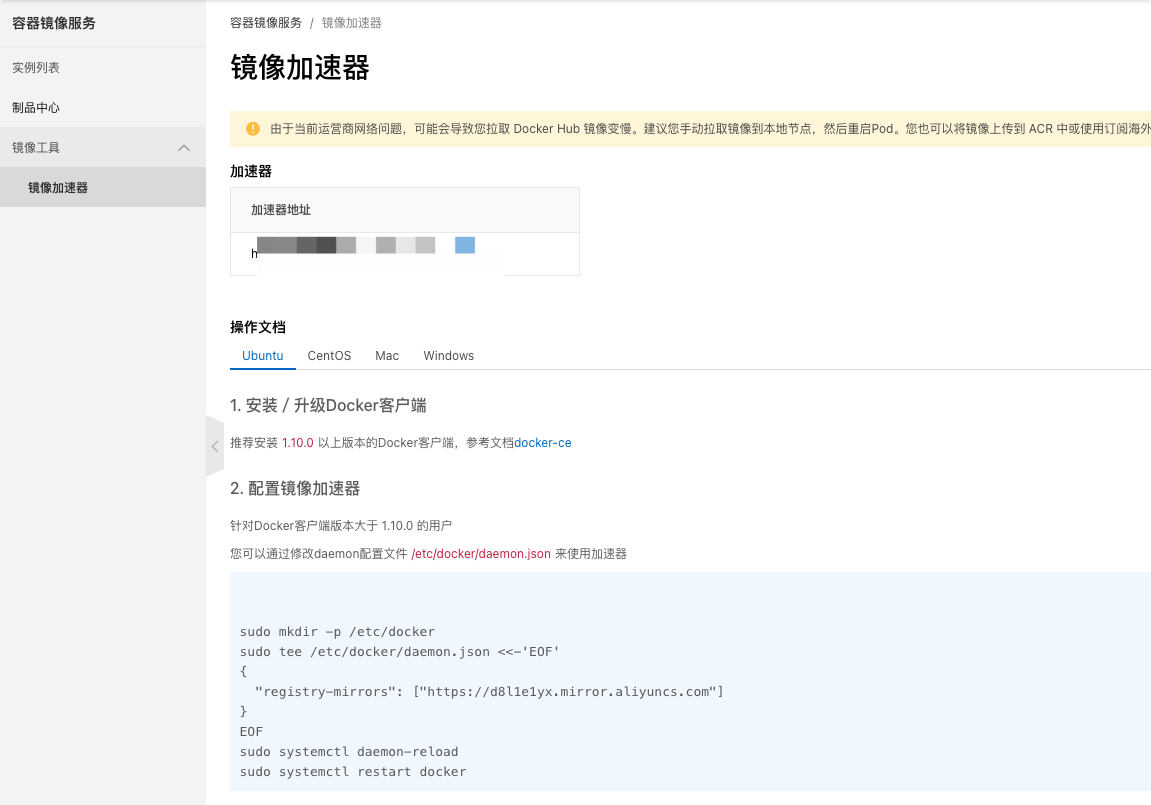
https://docker.mirrors.ustc.edu.cn - 阿里云容器 生成自己的加速地址
登录:
点击“创建我的容器镜像”,得到专属加速地址
2、配置方法
创建或修改/etc/docker/daemon.json文件,修改为如下形式
json
{
    "registry-mirrors": [
        "https://registry.hub.docker.com",
        "http://hub-mirror.c.163.com",
        "https://docker.mirrors.ustc.edu.cn",
        "https://registry.docker-cn.com"
    ]
}
重启dcoker
sh
systemctl restart docker查看是否配置成功
sh
docker info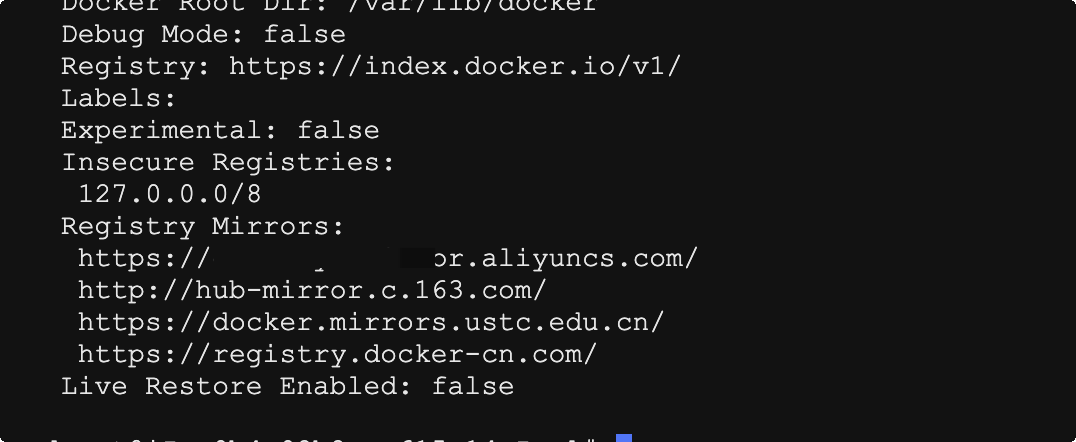
评论
0 条—
还没有评论,来说第一句