springboot 整合 redis,以及相关工具类
整合redis
springboot在现在的版本中操作Redis数据库用到了lettuce,而不是Jedis,他们各有各的特点。Jedis以 Redis 命令作为方法名称,学习成本低,简单实用。但是 Jedis 实例是线程不安全的,多线程环境下需要基于连接池来使用。Lettuce是基于 Netty 实现的,支持同步、异步和响应式编程方式,并且是线程安全的。支持 Redis 的哨兵模式、集群模式和管道模式。
SpringDataRedis 相关的 api
| API | 返回值类型 | 说明 |
|---|---|---|
| redisTemplate.opsForValue() | ValueOperations<K, V> | 操作 String 类型数据 |
| redisTemplate.opsForHash() | HashOperations<K, HK, HV> | 操作 Hash 类型数据 |
| redisTemplate.opsForList() | ListOperations<K, V> | 操作 List 类型数据 |
| redisTemplate.opsForSet() | SetOperations<K, V> | 操作 Set 类型数据 |
| redisTemplate.opsForZSet() | ZSetOperations<K, V> | 操作 SortedSet 类型数据 |
| redisTemplate | 通用的命令 |
1、引入依赖
xml
<dependency>
    <groupId>org.springframework.boot</groupId>
    <artifactId>spring-boot-starter-data-redis</artifactId>
</dependency>
2、配置文件
yml
spring:
  redis:
    # Redis服务器地址
    host: 127.0.0.1
    # Redis服务器端口号
    port: 6379
    # 使用的数据库索引,默认是0
    database: 0
    # 连接超时时间
    timeout: 1800000
     # 设置密码
    password: 123456
    lettuce:
      pool:
        # 最大阻塞等待时间,负数表示没有限制
        max-wait: -1
        # 连接池中的最大空闲连接
        max-idle: 5
        # 连接池中的最小空闲连接
        min-idle: 0
        # 连接池中最大连接数,负数表示没有限制
max-active: 203、代码实践
java
    @Autowired
    private RedisTemplate redisTemplate;
    @Test
    public void redis() {
        redisTemplate.opsForValue().set("name","Salmon");
        String name = (String) redisTemplate.opsForValue().get("name");
        System.out.println(name); // Salmon
    }
问题出现了:当我们使用 Redis 客户端查看刚刚存入 Redis 数据库的数据时,结果是这样的:
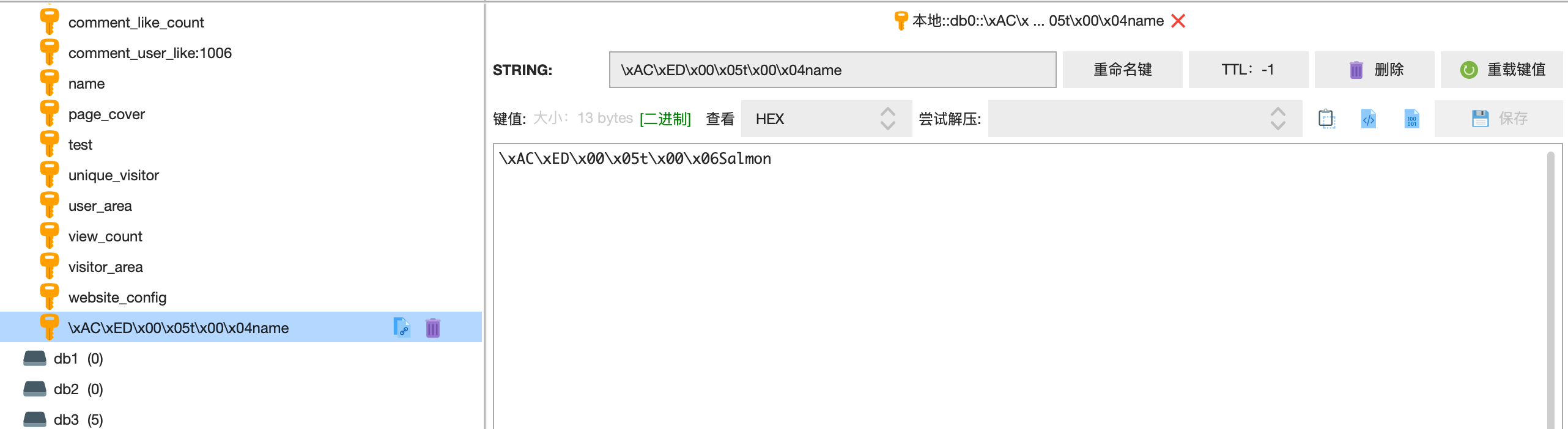
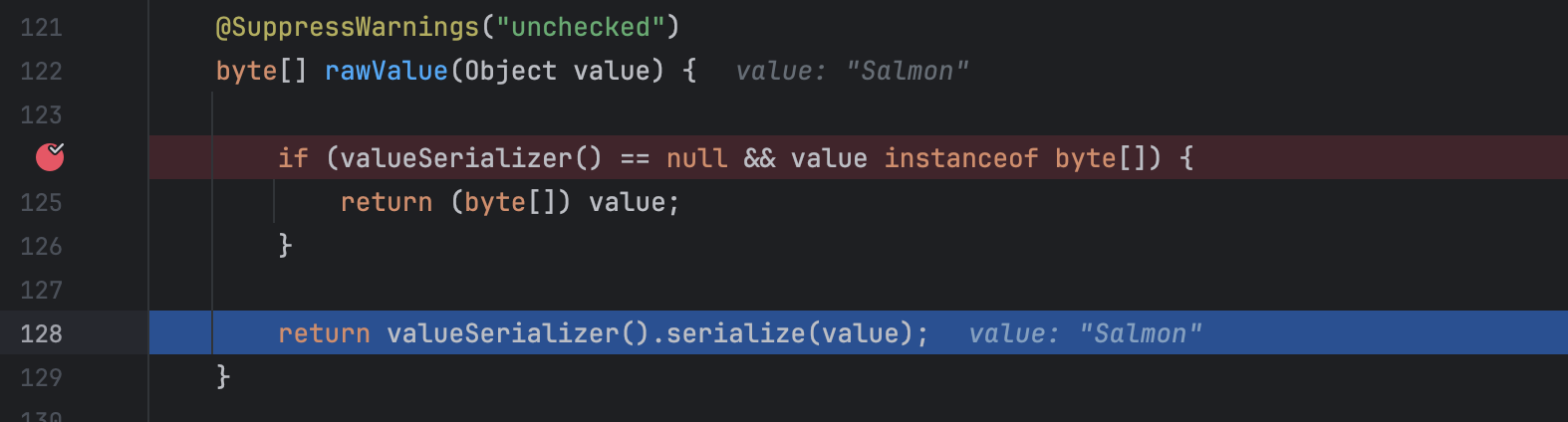
是因为在使用默认的对象 redisTemplate 时,会把 value 值序列化为 byte 类型,所以就出现了上图的结果。
4、自定义序列化器
java
@Configuration
public class RedisConfig {
    @Bean
    public RedisTemplate<String, Object> redisTemplate(RedisConnectionFactory redisConnectionFactory) throws UnknownHostException {
        // 创建模板
        RedisTemplate<String, Object> redisTemplate = new RedisTemplate<>();
        // 设置连接工厂
        redisTemplate.setConnectionFactory(redisConnectionFactory);
        // 设置序列化工具
        GenericJackson2JsonRedisSerializer jsonRedisSerializer =
                new GenericJackson2JsonRedisSerializer();
        // key和 hashKey采用 string序列化
        redisTemplate.setKeySerializer(RedisSerializer.string());
        redisTemplate.setHashKeySerializer(RedisSerializer.string());
        // value和 hashValue采用 JSON序列化
        redisTemplate.setValueSerializer(jsonRedisSerializer);
        redisTemplate.setHashValueSerializer(jsonRedisSerializer);
        return redisTemplate;
    }
}当配置好配置类后,再次执行上文的代码就不会出现上述情况了,但是问题又来了,当我们的value是一个对象时:
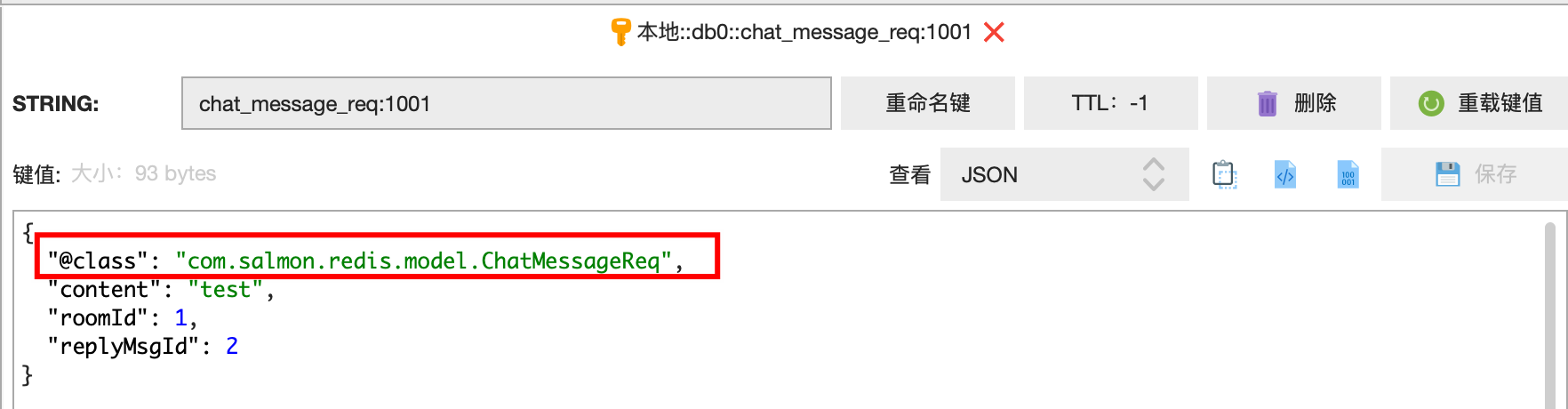
不仅仅是这个问题,由于我们的 value 是 object 类型。在反序列化的时候还经常会出现把 long 值转成 int 值导致泛型转化失败等场景。
这里推荐不需要 json 序列化器,直接用 string 序列化器
用 spring 的 stringRedisTemplate,要求只能存储 String 类型的 key 和 value。
这样每次存取很麻烦,但是可以通过 redisUtils 工具类来屏蔽这层麻烦。
5、编写 RedisUtil
首先我们引入 hutool 工具包,它提供了 SpringUtil 工具,让我们方便的获取 spring 中的 bean 容器,官方示例:https://doc.hutool.cn/pages/SpringUtil/#注册springutil
xml
<dependency>
    <groupId>cn.hutool</groupId>
    <artifactId>hutool-all</artifactId>
    <version>5.8.26</version>
</dependency>
redis 工具代码(代码很长,就不贴全了,可以根据需求自行编写)
java
/**
 * Redis 工具类
 *
 * @author Salmon
 * @since 2024-05-18
 */
@Slf4j
public class RedisUtils {

    private static final StringRedisTemplate stringRedisTemplate;

    static {
        stringRedisTemplate = SpringUtil.getBean(StringRedisTemplate.class);
    }

    private static final String LUA_INCR_EXPIRE =
            "local key,ttl=KEYS[1],ARGV[1] \n" +
                    " \n" +
                    "if redis.call('EXISTS',key)==0 then   \n" +
                    "  redis.call('SETEX',key,ttl,1) \n" +
                    "  return 1 \n" +
                    "else \n" +
                    "  return tonumber(redis.call('INCR',key)) \n" +
                    "end ";

    public static Long inc(String key, int time, TimeUnit unit) {
        RedisScript<Long> redisScript = new DefaultRedisScript<>(LUA_INCR_EXPIRE, Long.class);
        return stringRedisTemplate.execute(redisScript, Collections.singletonList(key), String.valueOf(unit.toSeconds(time)));
    }

    public static Long ZSetGet(String key) {
        return stringRedisTemplate.opsForZSet().zCard(key);
    }

    ...
}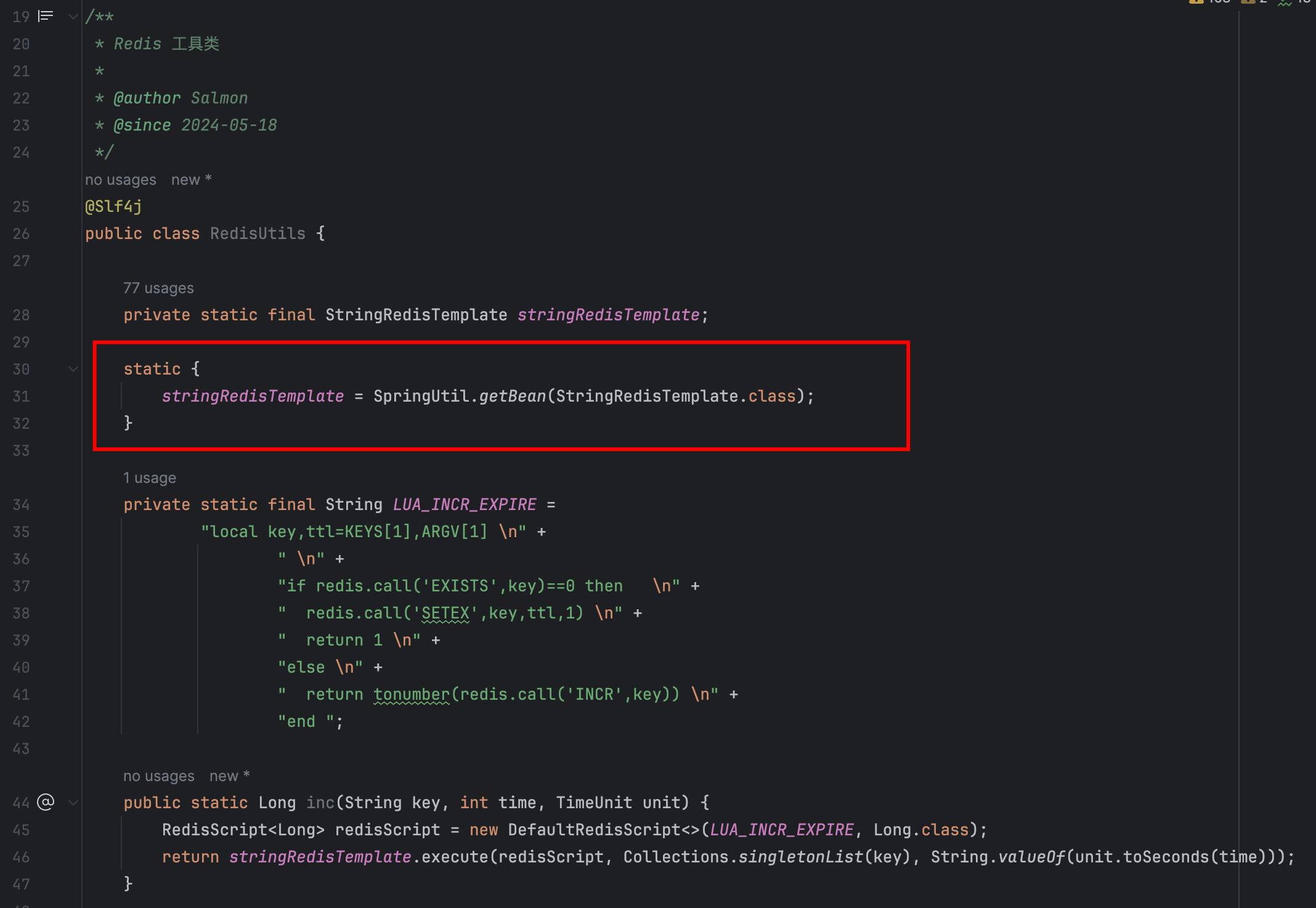
redis 的工具类,注意一个细节 stringRedisTemplate 是 static 的,相关的方法也都是 static 的,这样其他地方用起来就方便了。不需要注入 util,可以直接静态调用,像这样
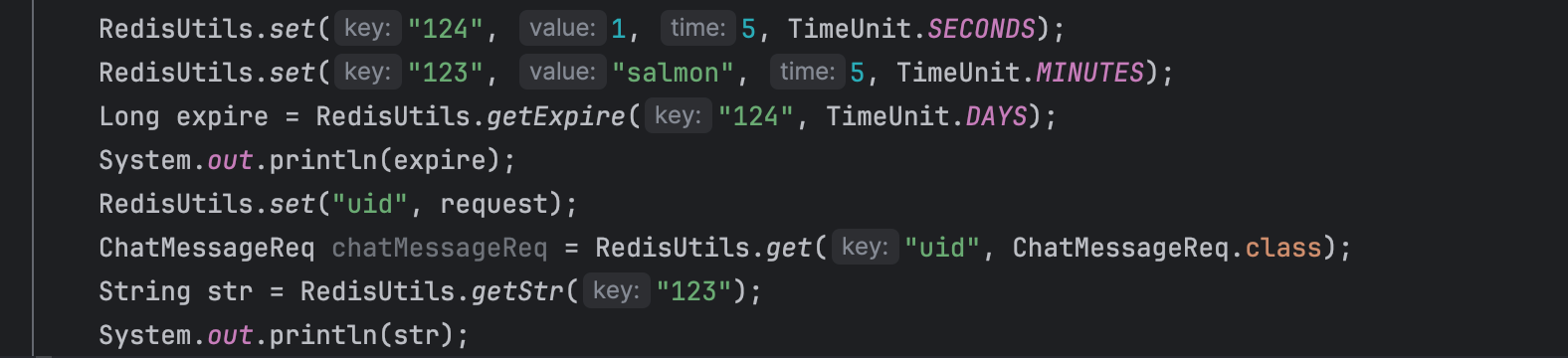
stringRedisTemplate 是通过 @PostConstruct 在类初始化阶段从 spring 容器中拿到对象,设置进静态变量中。
这里还有个小设计
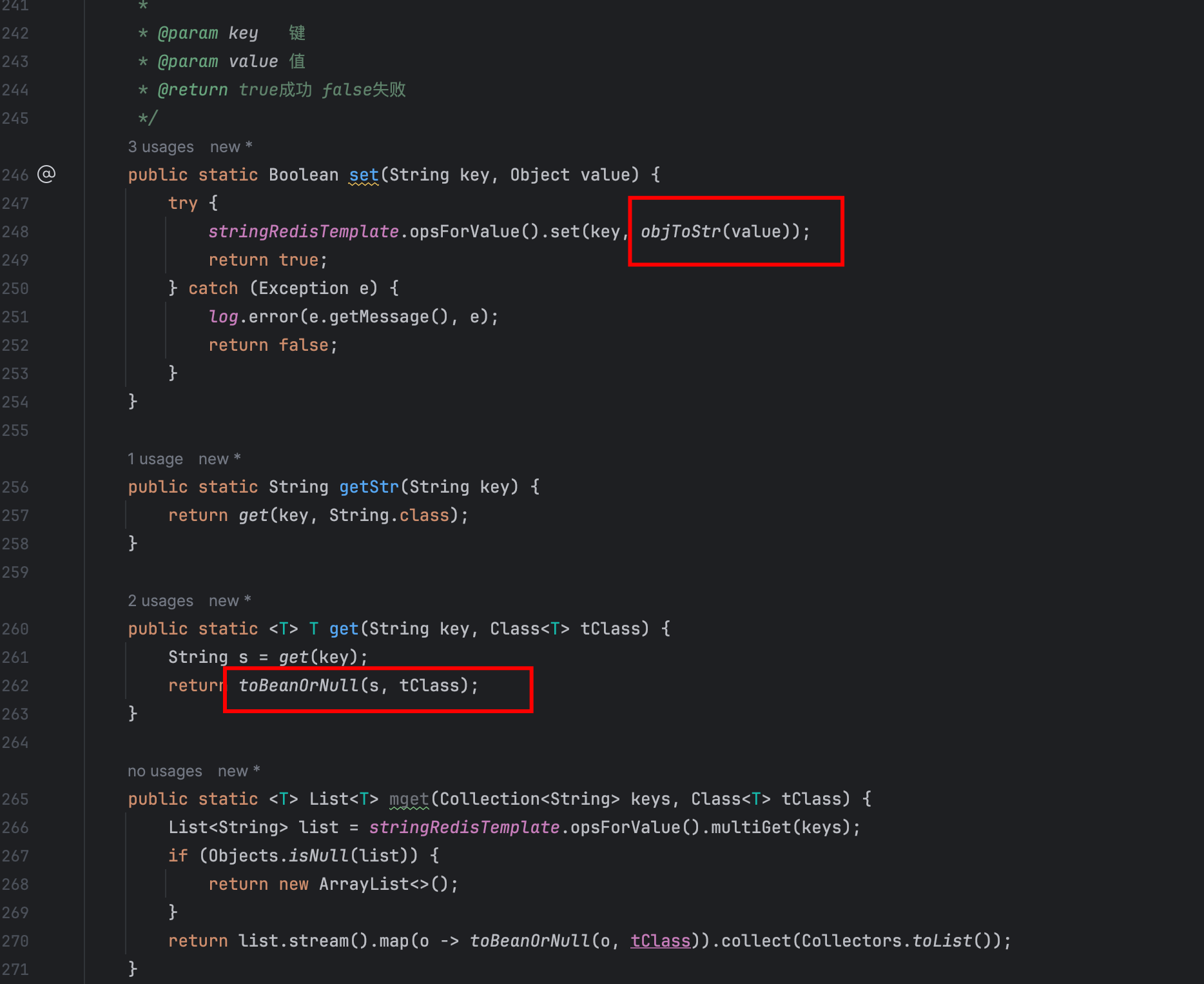
虽然我们用的是 stringRedisTemplate 但是工具类支持设置 object 的值,以及取出任意类型对象的值,工具类里封装了方法会对 object 的值转成 json。
java
public static void main(String[] args) {
    Long aLong = JSONUtil.toBean("1", Long.class);
    System.out.println(aLong);
}
有些序列化工具类不支持这样的反序列化,我选择用 jackson。
java
/**
 * JSON 工具类
 *
 * @author Salmon
 * @since 2024-05-18
 */
public class JsonUtils {
    private static final ObjectMapper jsonMapper = new ObjectMapper();

    public static <T> T toObj(String str, Class<T> clz) {
        try {
            return jsonMapper.readValue(str, clz);
        } catch (JsonProcessingException e) {
            throw new UnsupportedOperationException(e);
        }
    }

    public static <T> T toObj(String str, TypeReference<T> clz) {
        try {
            return jsonMapper.readValue(str, clz);
        } catch (JsonProcessingException e) {
            throw new UnsupportedOperationException(e);
        }
    }

    public static <T> List<T> toList(String str, Class<T> clz) {
        try {
            return jsonMapper.readValue(str, new TypeReference<List<T>>() {
            });
        } catch (JsonProcessingException e) {
            throw new UnsupportedOperationException(e);
        }
    }

    public static String toStr(Object t) {
        try {
            return jsonMapper.writeValueAsString(t);
        } catch (Exception e) {
            throw new UnsupportedOperationException(e);
        }
    }

}引入 redisson
分布式锁是我们经常需要用的,因此需要引入 redisson。
1、引入依赖
xml
<dependency>
    <groupId>org.redisson</groupId>
    <artifactId>redisson-spring-boot-starter</artifactId>
    <version>3.17.1</version>
</dependency>
2、配置类
这里我使用单机配置,对于单机 redis 的配置比较简单,就是配置一个 RedissonClient 对象,以后的使用也是注入这个对象来使用
java
package com.salmon.redis.config;

import org.redisson.Redisson;
import org.redisson.api.RedissonClient;
import org.redisson.config.Config;
import org.springframework.beans.factory.annotation.Autowired;
import org.springframework.boot.autoconfigure.data.redis.RedisProperties;
import org.springframework.context.annotation.Bean;
import org.springframework.context.annotation.Configuration;

/**
 * Redisson 配置
 *
 * @author Salmon
 * @since 2024-05-18
 */
@Configuration
public class RedissonConfig {

    @Autowired
    private RedisProperties redisProperties;

    @Bean
    public RedissonClient redissonClient() {
        Config config = new Config();
        config.useSingleServer()
                .setAddress("redis://" + redisProperties.getHost() + ":" + redisProperties.getPort())
                .setPassword(redisProperties.getPassword())
                .setDatabase(redisProperties.getDatabase());
        return Redisson.create(config);
    }

}3、代码实践
java
@Autowired
private RedissonClient redissonClient;

public <T> T executeWithLockThrows(String key, int waitTime, TimeUnit unit, SupplierThrow<T> supplier) throws Throwable {
    RLock lock = redissonClient.getLock(key);
    boolean lockSuccess = lock.tryLock(waitTime, unit);
    if (!lockSuccess) {
        throw new BusinessException(CommonErrorEnum.LOCK_LIMIT);
    }
    try {
        return supplier.get();//执行锁内的代码逻辑
    } finally {
        if (lock.isLocked() && lock.isHeldByCurrentThread()) {
            lock.unlock();
        }
    }
}