解决异常:启动 maxwell:Could not find first log file name in binary log index file
AI 摘要鱼粮不足,AI 今天先歇着 · 正文在下面
问题
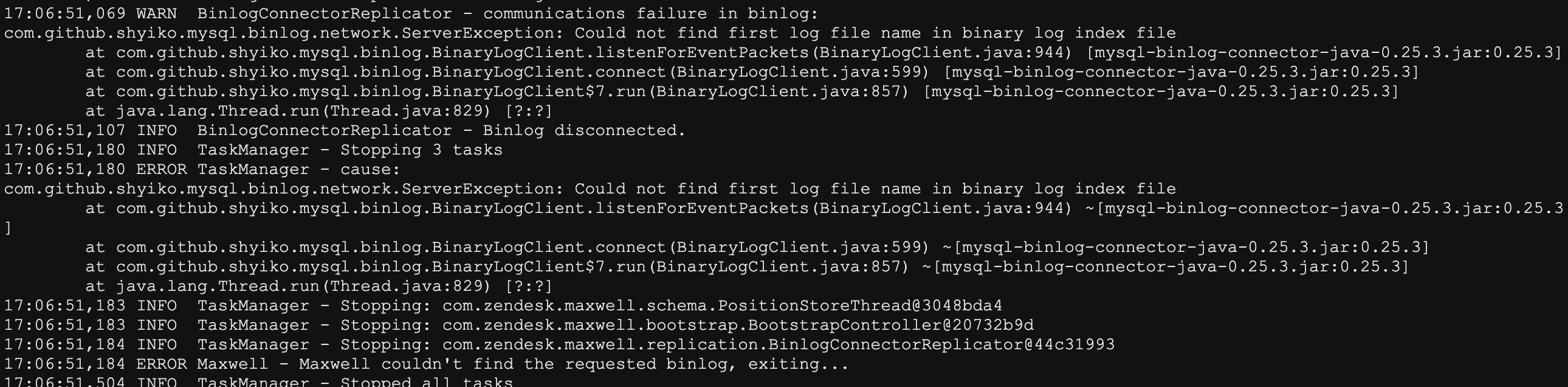
今天发现maxwell读取 binlog 同步 es 没有正常工作。查看日志错误看不出什么,就先尝试重启maxwell,看看能不能解决,结果重启时报错了:
sh
17:06:51,069 WARN  BinlogConnectorReplicator - communications failure in binlog:
com.github.shyiko.mysql.binlog.network.ServerException: Could not find first log file name in binary log index file
        at com.github.shyiko.mysql.binlog.BinaryLogClient.listenForEventPackets(BinaryLogClient.java:944) [mysql-binlog-connector-java-0.25.3.jar:0.25.3]
        at com.github.shyiko.mysql.binlog.BinaryLogClient.connect(BinaryLogClient.java:599) [mysql-binlog-connector-java-0.25.3.jar:0.25.3]
        at com.github.shyiko.mysql.binlog.BinaryLogClient$7.run(BinaryLogClient.java:857) [mysql-binlog-connector-java-0.25.3.jar:0.25.3]
        at java.lang.Thread.run(Thread.java:829) [?:?]
17:06:51,107 INFO  BinlogConnectorReplicator - Binlog disconnected.
17:06:51,180 INFO  TaskManager - Stopping 3 tasks
17:06:51,180 ERROR TaskManager - cause:
com.github.shyiko.mysql.binlog.network.ServerException: Could not find first log file name in binary log index file
        at com.github.shyiko.mysql.binlog.BinaryLogClient.listenForEventPackets(BinaryLogClient.java:944) ~[mysql-binlog-connector-java-0.25.3.jar:0.25.3]
        at com.github.shyiko.mysql.binlog.BinaryLogClient.connect(BinaryLogClient.java:599) ~[mysql-binlog-connector-java-0.25.3.jar:0.25.3]
        at com.github.shyiko.mysql.binlog.BinaryLogClient$7.run(BinaryLogClient.java:857) ~[mysql-binlog-connector-java-0.25.3.jar:0.25.3]
        at java.lang.Thread.run(Thread.java:829) [?:?]
17:06:51,183 INFO  TaskManager - Stopping: com.zendesk.maxwell.schema.PositionStoreThread@3048bda4
17:06:51,183 INFO  TaskManager - Stopping: com.zendesk.maxwell.bootstrap.BootstrapController@20732b9d
17:06:51,184 INFO  TaskManager - Stopping: com.zendesk.maxwell.replication.BinlogConnectorReplicator@44c31993
17:06:51,184 ERROR Maxwell - Maxwell couldn't find the requested binlog, exiting...
原因
maxwell在数据库中维护了 binlog 的位移等信息,可能由于我前几天 binlog 太多,执行了 reset master,删掉了日志,导致maxwell库中的记录与实际的 binlog 对不上,这时就会报异常,我们可以手动修正 binlog 位移或者直接清空、删除maxwell库重建。
解决
方法一
删除 mysql 中的 maxwell 数据库,重新创建(不太推荐)。
方法二
清空 maxwell 数据库中的 positions 表(推荐)。
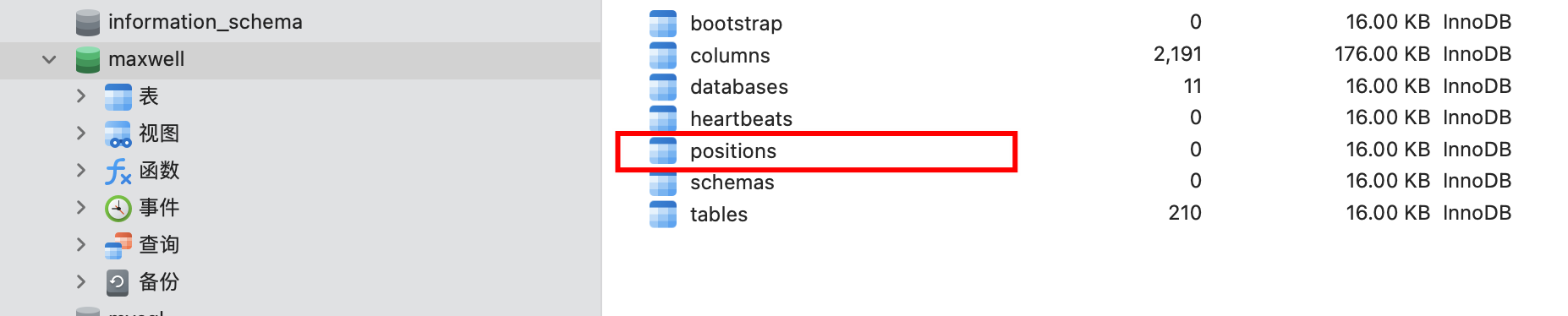
重启后查看日志,发现正常运行了

评论
0 条—
还没有评论,来说第一句