使用 Certbot 申请免费 HTTPS 证书以及自动续期解析到阿里云
本文详细解析了如何使用 Certbot 申请免费 HTTPS 证书,并结合阿里云 DNS 解
前言
Certbot 是一款免费且开源的自动化安全证书管理工具,由电子前沿基金会(EFF)开发和维护,是在 Linux、Apache 和 Nginx 服务器上配置和管理 SSL/TLS 证书的一种机制。Certbot 可以自动完成域名的认证并安装证书。
今年阿里云的免费域名证书期限只有 3 个月,总是去配置比较麻烦,而且不支持泛域名,所以不如使用 Certbot来自动配置证书。
一、安装软件
安装 Certbot
bash
yum install epel-release -y
yum install certbot -y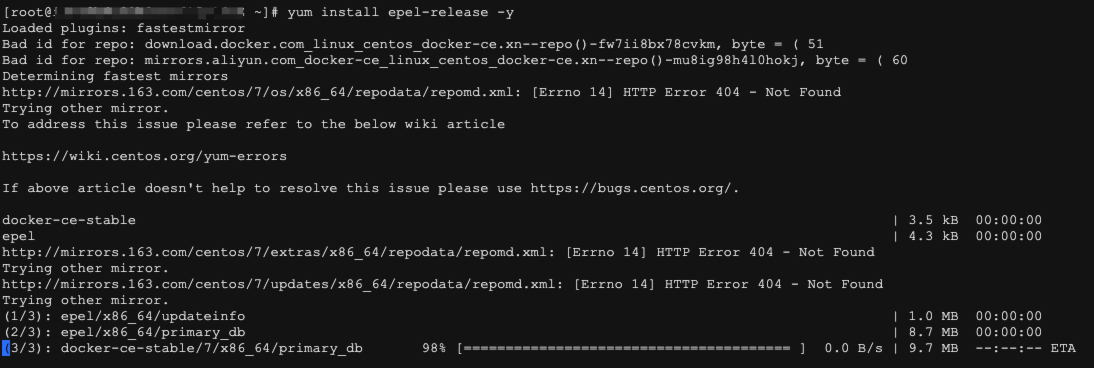
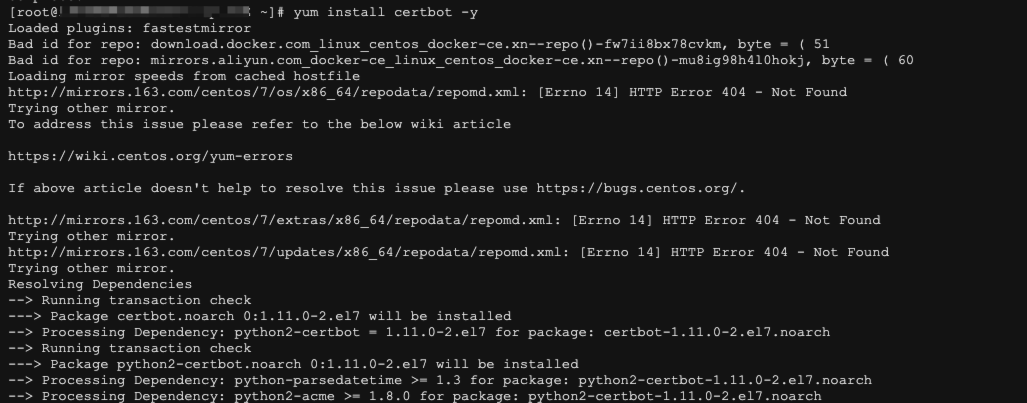
如果提示错误,如我这样:
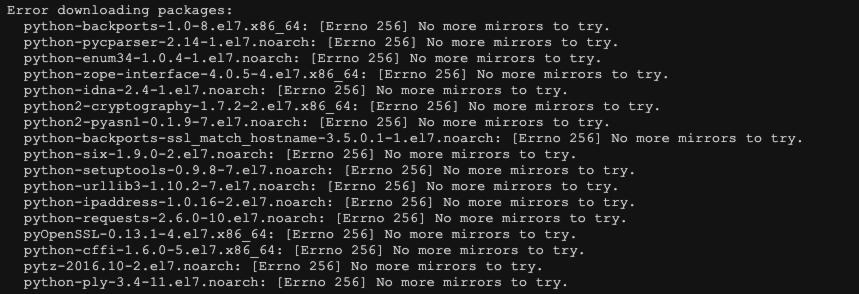
可能是镜像的问题,我重新切换了下镜像为阿里云的:
bash
sudo curl -o /etc/yum.repos.d/CentOS-Base.repo http://mirrors.aliyun.com/repo/Centos-7.repo
sudo yum clean all
sudo yum makecache
重新执行后报了另一个错:
bash
Failed:
  python-urllib3.noarch 0:1.10.2-7.el7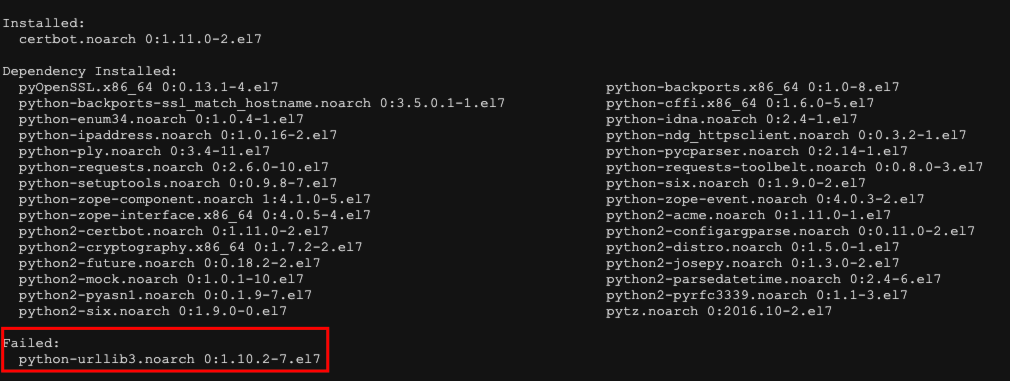
需要重新安装 python-urllib3,我们可以备份下原来的文件
bash
mv /usr/lib/python2.7/site-packages/urllib3/packages/ssl_match_hostname /usr/lib/python2.7/site-packages/urllib3/packages/ssl_match_hostname.bak然后安装 python-urllib3
bash
yum install python-urllib3 -y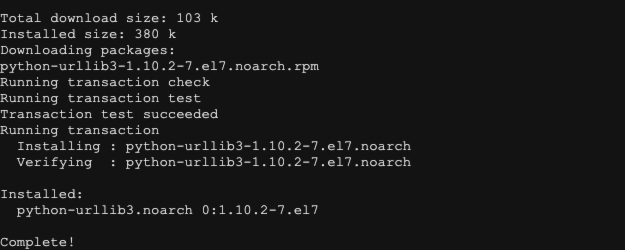
二、生成证书
域名一般分为主域名和泛域名,比如百度的主域名为:baidu.com,百度的二级域名的泛域名为:*.baidu.com,我们执行以下命令生成证书:
bash
# 泛域名:
certbot certonly -d *.使用自己的域名替换.com --manual --preferred-challenges dns

# 例如
certbot certonly -d *.salmonedu.ltd --manual --preferred-challenges dns

# 主域名:
certbot certonly -d 使用自己的域名替换.com --manual --preferred-challenges dns

# 例如
certbot certonly -d salmonedu.ltd --manual --preferred-challenges dns

# 两者一起
certbot certonly \
  -d "*.salmonedu.ltd" \
  -d salmonedu.ltd \
  --manual \
--preferred-challenges dns会提示你输入邮箱,建议输入自己的邮箱

一直点 y 同意使用协议,同意邮箱接收信息,然后会提示需要配置 DNS TXT 解析记录

我们前往阿里云控制台配置解析记录:https://dns.console.aliyun.com/#/dns/setting
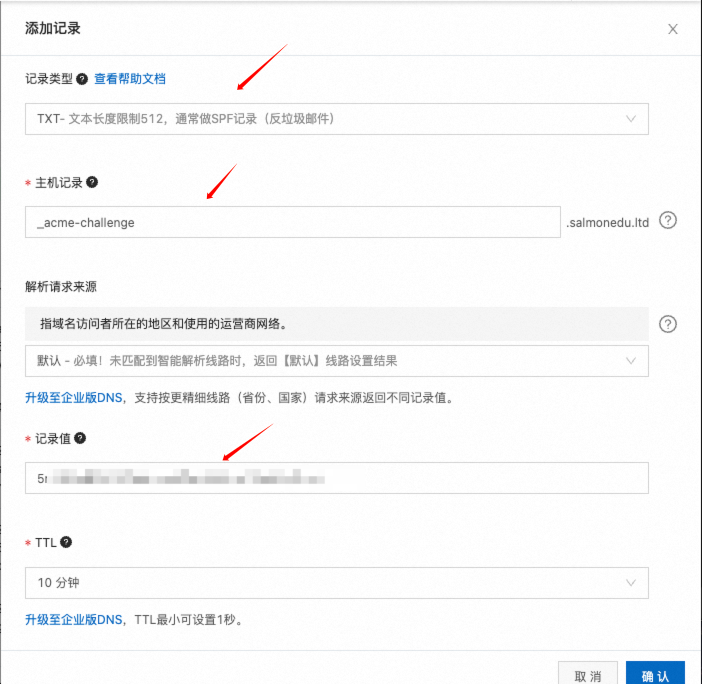
配置好之后,按回车继续,等待结果相应
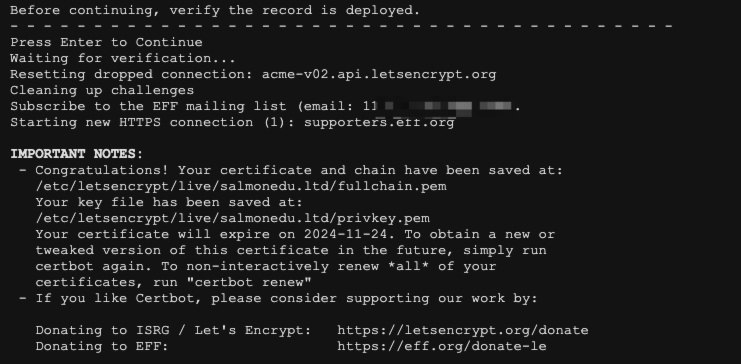
此时证书就已经生成成功了,但是只有三个月有效期
三、配置 Openresty
我这里使用的是 Openresty,在 Docker 上运行,由于生成目录是固定的,故可以添加一个挂载目录配置,重新运行容器
bash
docker run --name openresty \
  -p 80:80 -p 443:443 \
  -v /etc/letsencrypt/live/salmonedu.ltd:/etc/letsencrypt/live/salmonedu.ltd \
  -v /etc/letsencrypt/archive:/etc/letsencrypt/archive \
  -v /mnt/openresty/conf:/usr/local/openresty/nginx/conf \
  --restart=always \
  -d openresty/openresty
配置 SSL

重启 Openresty
bash
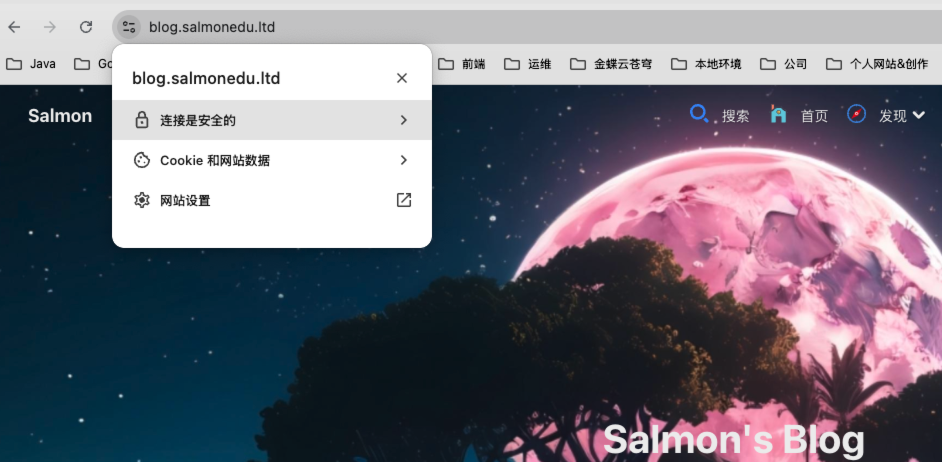
docker restart openresty访问我们配置的域名,这里以我博客为例,可以看到链接已经是安全的了
四、续期
Certbot 是使用的 Let’s Encrypt 申请的免费证书,只有 3 个月的有效期,到期之后我们需要再次续期才能继续使用 HTTPS 协议。
4.1 手动续期
再证书快到期之前,重新生成证书即可
bash
certbot certonly -d *.替换自己的域名.com --manual --preferred-challenges dns然后前往阿里云控制台重新配置解析记录即可。
4.2 自动续期
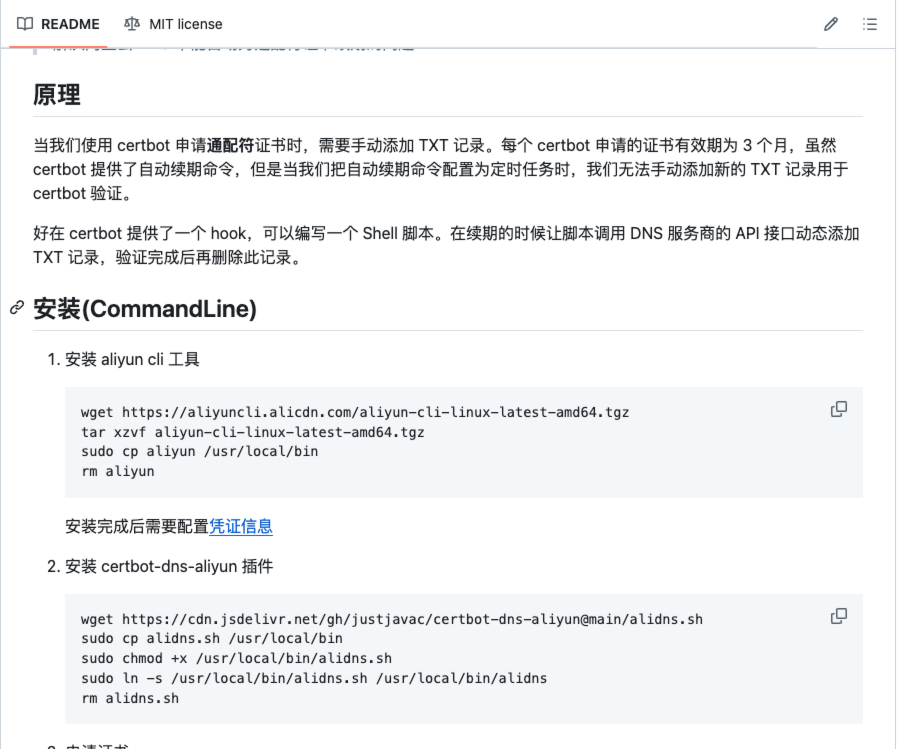
每次去手动配置还是挺麻烦的,而且容易忘记,Certbot 提供了一个 hook,可以编写一个 Shell 脚本,在需要续期的时候让脚本调用 DNS 服务商的 API 接口动态添加 TXT 记录,验证完成后再删除此记录,达到自动续期的效果。
我使用的是阿里云服务,有位大佬已经写好脚本了:https://github.com/justjavac/certbot-dns-aliyun
安装和使用指南可以看看大佬的 README ,其中有详细说明
4.2.1 安装与配置 aliyun cli
1、安装 aliyun cli 工具
bash
wget https://aliyuncli.alicdn.com/aliyun-cli-linux-latest-amd64.tgz
tar xzvf aliyun-cli-linux-latest-amd64.tgz
sudo cp aliyun /usr/local/bin
rm aliyun
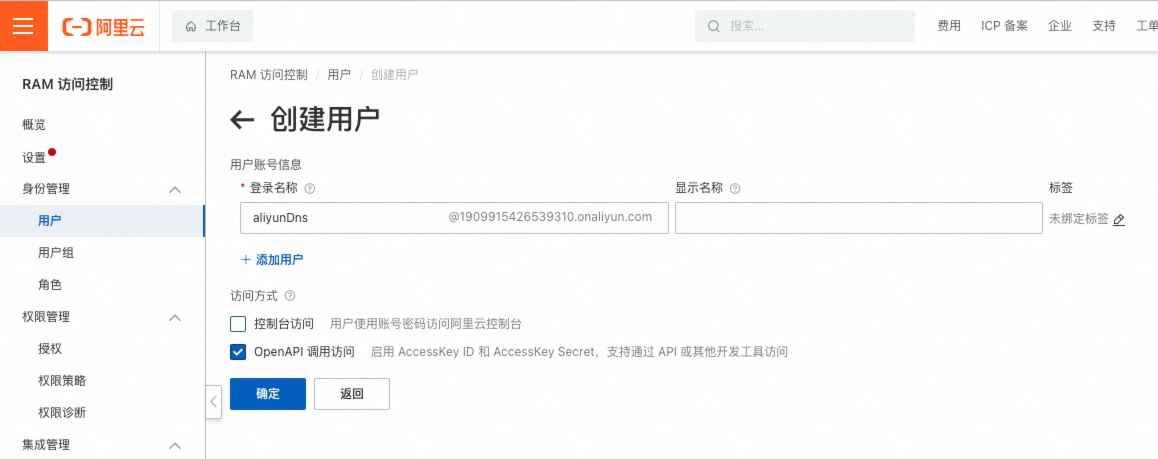
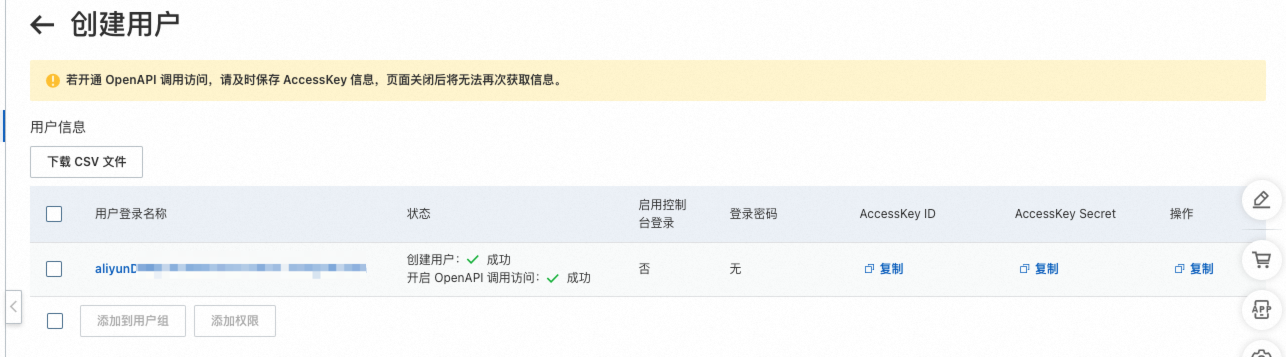
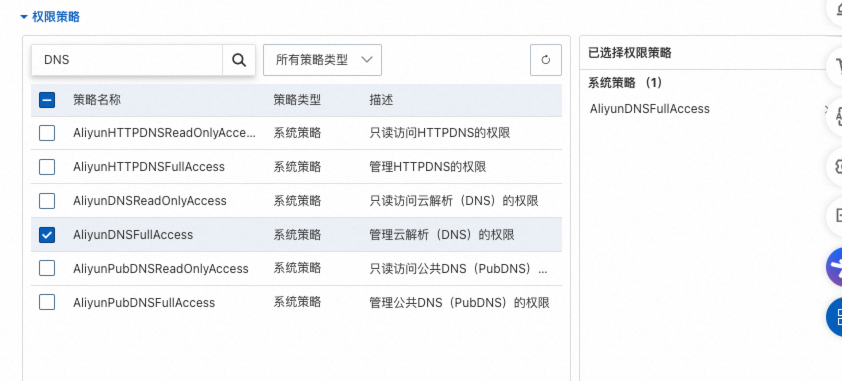
2、创建一个拥有 DNS 权限的用户
配置权限

3、安装完成后需要配置凭证信息,将拥有 DNS 权限的角色配置到云服务器中
bash
cd /usr/local/bin
aliyun configure --profile AkProfile
配置交互过程如下:
bash
Configuring profile 'AkProfile' in '' authenticate mode...
Access Key Id []: 在这里输入刚新建角色的 Access Key 然后回车进入下一项
Access Key Secret []: 在这里输入刚新建角色的 Access Key Secret 然后回车进入下一项
Default Region Id []: cn-shenzhen
Default Output Format [json]: json (Only support json))
Default Language [zh|en] en:
Saving profile[akProfile] ...Done.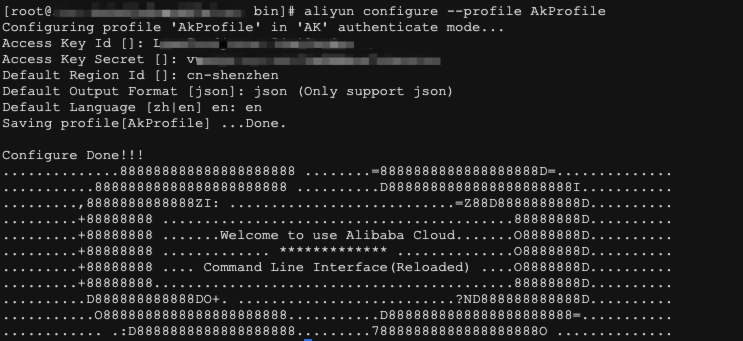
4.2.2 安装 certbot-dns-aliyun 插件
bash
wget https://cdn.jsdelivr.net/gh/justjavac/certbot-dns-aliyun@main/alidns.sh
sudo cp alidns.sh /usr/local/bin
sudo chmod +x /usr/local/bin/alidns.sh
sudo ln -s /usr/local/bin/alidns.sh /usr/local/bin/alidns
rm alidns.sh
4.2.3 申请证书
测试是否能正确申请
bash
certbot certonly -d *.替换自己的域名.com --manual --preferred-challenges dns --manual-auth-hook "alidns" --manual-cleanup-hook "alidns clean" --dry-run

# 比如
certbot certonly -d *.salmonedu.ltd --manual --preferred-challenges dns --manual-auth-hook "alidns" --manual-cleanup-hook "alidns clean" --dry-run

# 多个
certbot certonly \
  -d "*.salmonedu.ltd" \
  -d salmonedu.ltd \
  --manual \
  --preferred-challenges dns \
  --manual-auth-hook "alidns" \
  --manual-cleanup-hook "alidns clean" \
  --agree-tos \
  --manual-public-ip-logging-ok \
  --dry-run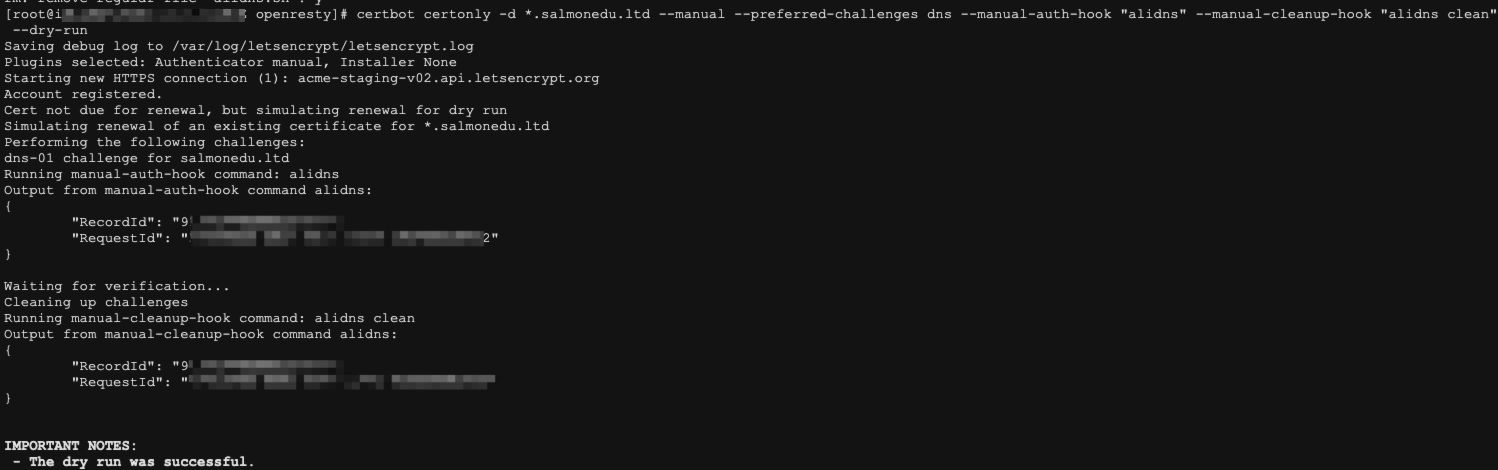
正式申请时去掉 --dry-run 参数:
bash
certbot certonly -d *.example.com --manual --preferred-challenges dns --manual-auth-hook "alidns" --manual-cleanup-hook "alidns clean"

# 多个
certbot certonly \
  -d "*.salmonedu.ltd" \
  -d salmonedu.ltd \
  --manual \
  --preferred-challenges dns \
  --manual-auth-hook "alidns" \
  --manual-cleanup-hook "alidns clean" \
  --agree-tos \
  --manual-public-ip-logging-ok
证书续期
bash
certbot renew --manual --preferred-challenges dns --manual-auth-hook "alidns" --manual-cleanup-hook "alidns clean" --dry-run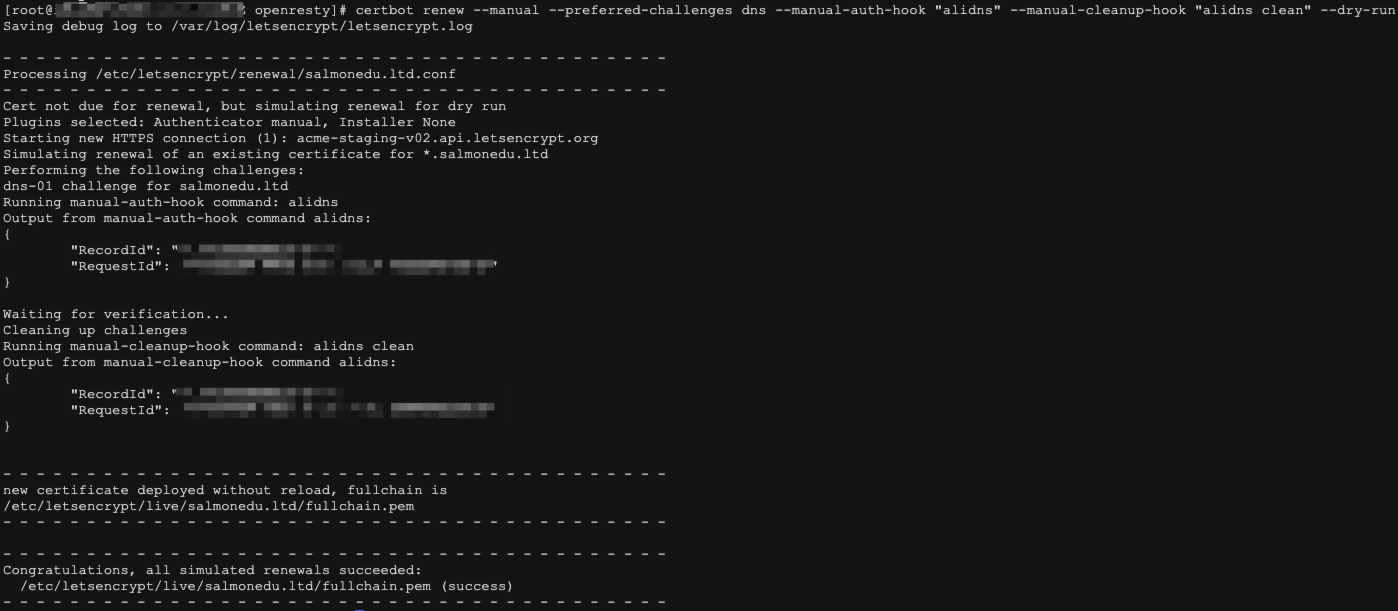
自动续期,添加定时任务 crontab
bash
crontab -e内容如下:
bash
1 1 */1 * * certbot renew --manual --preferred-challenges dns --manual-auth-hook "alidns" --manual-cleanup-hook "alidns clean" --deploy-hook "docker restart openresty"上面脚本中的 --deploy-hook "ndocker restart openresty" 表示在续期成功后自动重启 Openresty
评论
1 条
强大,学习了!