Vue 使用 quill 富文本编辑--增加表格功能
AI 摘要salmon-ai
本文详细解析了在 Vue 项目中使用 `quill` 富文本编辑器补
前言
最近在项目中的富文本编辑框中使用表格,发现居然没有。
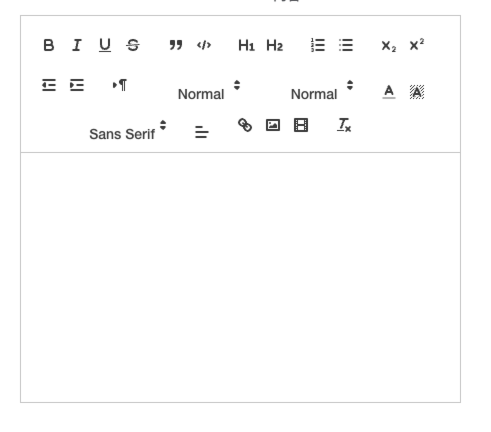
我用的是 "vue-quill-editor": "^3.0.6",这个组件几年没更新了,所以 quill 的版本一直停留在 1.x 的版本。
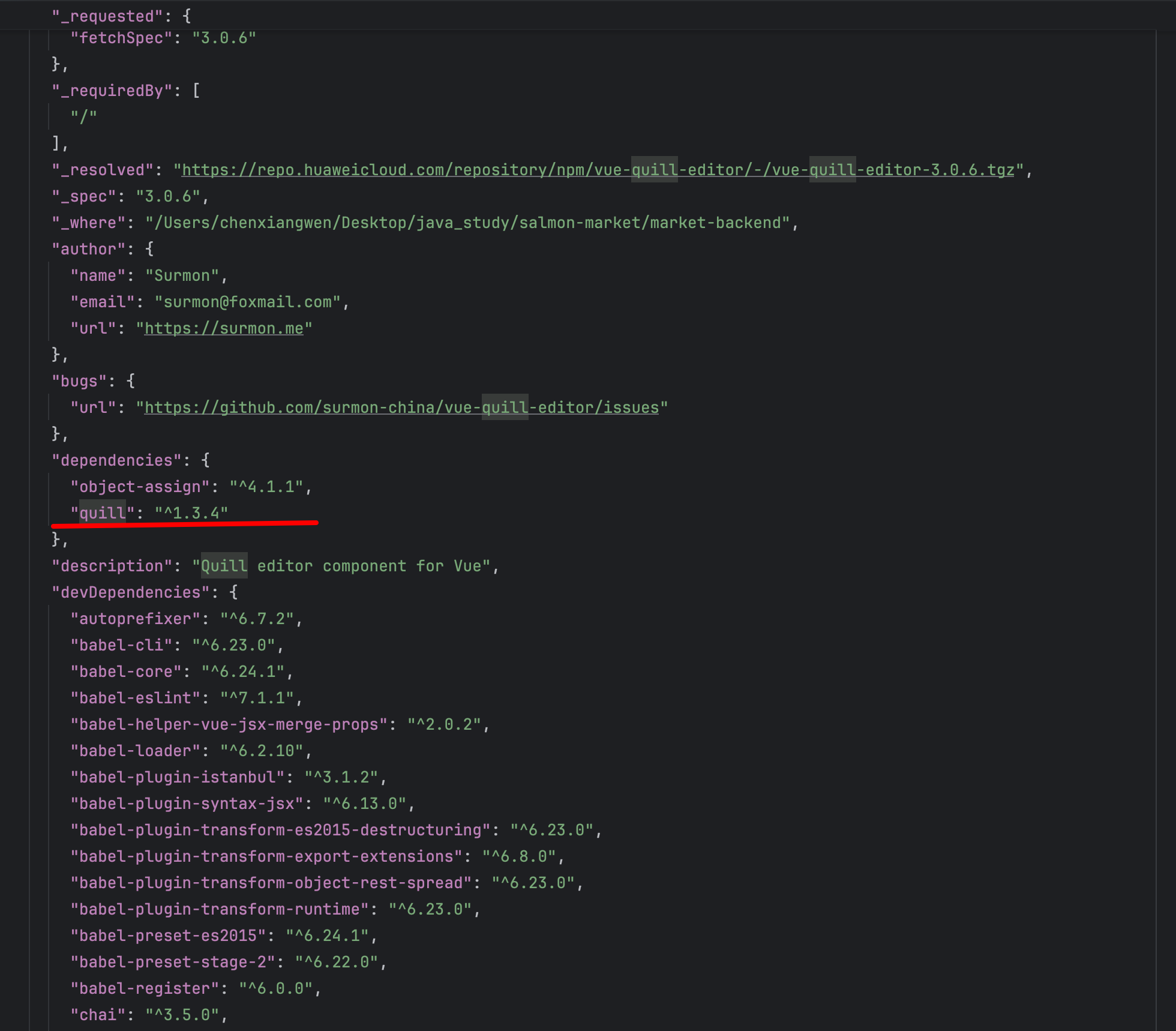
查询了下发现 quill@2.0.0-dev.3 支持在编辑器中插入表格,不过这不是正式版,而是开发版。
那么要实现新需求,就只能重新集成一个新的了。
实现
安装依赖
bash
npm install quill@2.0.0-dev.3 -dev--save 重写 RichText.vue 组件
html
<template>
  <keep-alive>
    <div>
      <div class="editor"></div>
      <single-img-upload :id="id" v-model="quillEditorImgUrl" :limit="10" v-show="false"></single-img-upload>
    </div>
  </keep-alive>
</template>

<script>
import Quill from 'quill'
import 'quill/dist/quill.snow.css'

const titleConfig = {
  'ql-bold': '加粗',
  'ql-color': '颜色',
  'ql-font': '字体',
  'ql-code': '插入代码',
  'ql-italic': '斜体',
  'ql-link': '添加链接',
  'ql-background': '颜色',
  'ql-size': '字体大小',
  'ql-strike': '删除线',
  'ql-script': '上标/下标',
  'ql-underline': '下划线',
  'ql-blockquote': '引用',
  'ql-header': '标题',
  'ql-indent': '缩进',
  'ql-list': '列表',
  'ql-align': '文本对齐',
  'ql-direction': '文本方向',
  'ql-code-block': '代码块',
  'ql-formula': '公式',
  'ql-image': '图片',
  'ql-video': '视频',
  'ql-clean': '清除字体样式',
  'ql-upload': '文件',
  'ql-table': '插入表格',
  'ql-table-insert-row': '插入行',
  'ql-table-insert-column': '插入列',
  'ql-table-delete-row': '删除行',
  'ql-table-delete-column': '删除列'
}
export default {
  props: {
    value: {
      type: String,
      default: ''
    },
    id: {
      type: String,
      default() {
        return 'hideImg';
      }
    }
  },
  data() {
    return {
      quill: null,
      quillEditorImgUrl: '', //图片上传成功返回的url
      options: {
        placeholder: '请在此输入内容',
        id: this.id,
        theme: 'snow',
        modules: {
          toolbar: {
            container: [
              ['bold', 'italic', 'underline', 'strike'],
              ['blockquote', 'code-block'],
              [{ header: 1 }, { header: 2 }],
              [{ list: 'ordered' }, { list: 'bullet' }],
              [{ indent: '-1' }, { indent: '+1' }],
              [{
                script: 'sub'
              }, {
                script: 'super'
              }],
              [{
                direction: 'rtl'
              }],
              [{
                size: ['small', false, 'large', 'huge']
              }],
              [{
                header: [1, 2, 3, 4, 5, 6, false]
              }],
              [{ color: [] }, { background: [] }],
              [{ font: [] }],
              [{ align: [] }],
              ['link', 'image', 'video'],
              ['clean'],
              [
                {table: 'TD'},
                {'table-insert-row': 'TIR'},
                {'table-insert-column': 'TIC'},
                {'table-delete-row': 'TDR'},
                {'table-delete-column': 'TDC'}
              ]
            ],
            handlers: {
              image: function (value) {
                if (value) {
                  // 触发input框选择图片文件
                  let div = document.getElementById(this.quill.options.id);
                  let inputs = div.getElementsByTagName("input");
                  inputs[0].click();
                } else {
                  this.quill.format('image', false);
                }
              },
              table: function (val) {
                this.quill.getModule('table').insertTable(2, 3)
              },
              'table-insert-row': function () {
                this.quill.getModule('table').insertRowBelow()
              },
              'table-insert-column': function () {
                this.quill.getModule('table').insertColumnRight()
              },
              'table-delete-row': function () {
                this.quill.getModule('table').deleteRow()
              },
              'table-delete-column': function () {
                this.quill.getModule('table').deleteColumn()
              }
            }
          },
          table: true
        },
      }
    }
  },
  methods: {
    addQuillTitle() {
      const oToolBar = document.querySelector('.ql-toolbar')
      const aButton = oToolBar.querySelectorAll('button')
      const aSelect = oToolBar.querySelectorAll('select')
      aButton.forEach(function (item) {
        if (item.className === 'ql-script') {
          item.value === 'sub' ? (item.title = '下标') : (item.title = '上标')
        } else if (item.className === 'ql-indent') {
          item.value === '+1' ? (item.title = '向右缩进') : (item.title = '向左缩进')
        } else {
          item.title = titleConfig[item.classList[0]]
        }
      })
      aSelect.forEach(function (item) {
        item.parentNode.title = titleConfig[item.classList[0]]
      })
    },
    getContentData() {
      return this.quill.getContents()
    }
  },
  watch: {
    value: {
      handler(newVal) {
        if (this.quill && newVal) {
          console.log(newVal)
          // 防止重复设置,如果内容已存在就不重复渲染
          const currentHtml = this.quill.root.innerHTML
          if (currentHtml !== newVal) {
            this.quill.root.innerHTML = newVal
          }
        }
      },
      deep: true
    },
    //监听图片上传成功的url变化,把这个url插入到富文本编辑器中
    quillEditorImgUrl(val) {
      if (this.isEmpty(val)) {
        return;
      }
      // 如果 val 不是以 http:// 或 https:// 开头,则拼接 ossDomain
      if (!/^https?:\/\//i.test(val)) {
        val = this.ossDomain + val;
      }
      // 获取光标所在位置
      let length = this.quill.getSelection().index;
      // 插入图片  res.info为服务器返回的图片地址
      this.quill.insertEmbed(length, 'image', val);
      // 调整光标到最后
      this.quill.setSelection(length + 1);
    }
  },
  mounted() {
    const dom = this.$el.querySelector('.editor')
    this.quill = new Quill(dom, this.options)
    this.quill.on('text-change', () => {
      this.$emit('input', this.quill.root.innerHTML)
      this.$emit('contentData', this.quill.getContents())
    })
    this.$el.querySelector(
      '.ql-table-insert-row'
    ).innerHTML = `<svg t="1591862376726" class="icon" viewBox="0 0 1024 1024" version="1.1" xmlns="http://www.w3.org/2000/svg" p-id="6306" width="18" height="200"><path d="M500.8 604.779L267.307 371.392l-45.227 45.27 278.741 278.613L779.307 416.66l-45.248-45.248z" p-id="6307"></path></svg>`
    this.$el.querySelector(
      '.ql-table-insert-column'
    ).innerHTML = `<svg t="1591862238963" class="icon" viewBox="0 0 1024 1024" version="1.1" xmlns="http://www.w3.org/2000/svg" p-id="6509" width="18" height="200"><path d="M593.450667 512.128L360.064 278.613333l45.290667-45.226666 278.613333 278.762666L405.333333 790.613333l-45.226666-45.269333z" p-id="6510"></path></svg>`
    this.$el.querySelector(
      '.ql-table-delete-row'
    ).innerHTML = `<svg t="1591862253524" class="icon" viewBox="0 0 1024 1024" version="1.1" xmlns="http://www.w3.org/2000/svg" p-id="6632" width="18" height="200"><path d="M500.8 461.909333L267.306667 695.296l-45.226667-45.269333 278.741333-278.613334L779.306667 650.026667l-45.248 45.226666z" p-id="6633"></path></svg>`
    this.$el.querySelector(
      '.ql-table-delete-column'
    ).innerHTML = `<svg t="1591862261059" class="icon" viewBox="0 0 1024 1024" version="1.1" xmlns="http://www.w3.org/2000/svg" p-id="6755" width="18" height="200"><path d="M641.28 278.613333l-45.226667-45.226666-278.634666 278.762666 278.613333 278.485334 45.248-45.269334-233.365333-233.237333z" p-id="6756"></path></svg>`
    this.addQuillTitle()
  },
  activated() {
    this.quill.setContents({})
  }
}
</script>使用
html
<el-form-item label="内容" prop="content">
  <rich-text v-model="entity.content" ref="QuillEditor"></rich-text>
</el-form-item>
效果
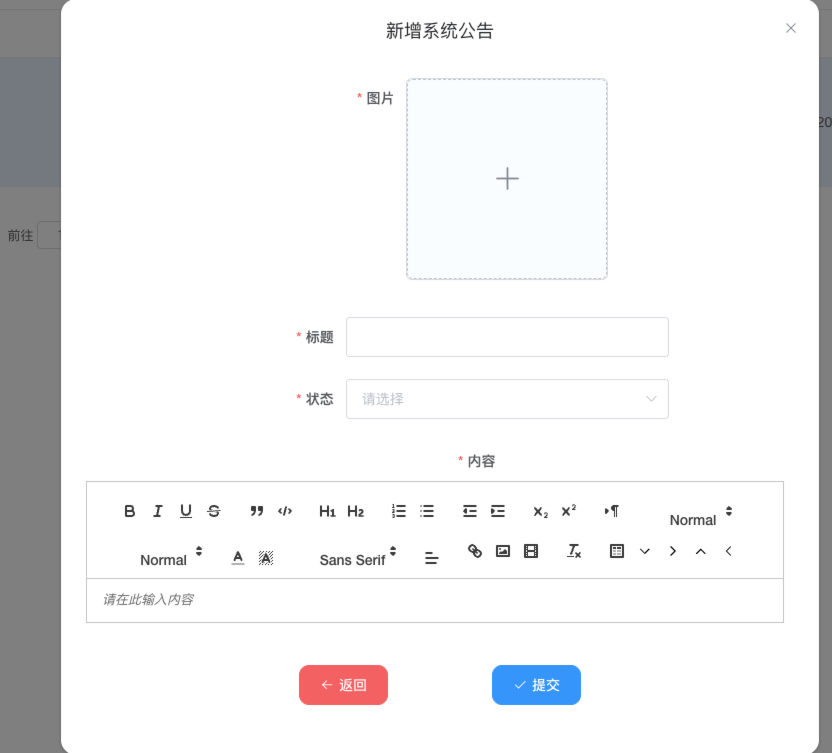
渲染 html
html
 <!-- 公告 -->
 <div class="announcement-section">
   <el-card class="card-hover" shadow="always">
     <div class="announcement-header">公告信息</div>
     <div class="announcement-content ql-editor" v-html="announcementContent"></div>
   </el-card>
</div>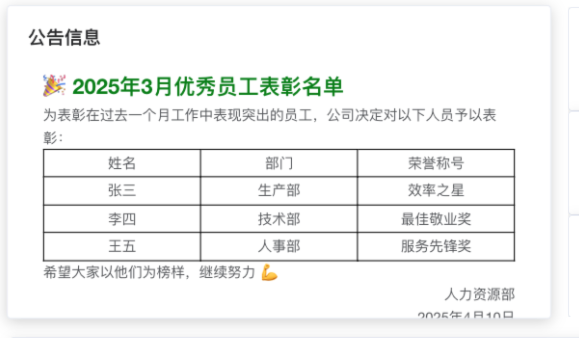
评论
0 条—
还没有评论,来说第一句