升级 ElasticSearch7 升级 ElasticSearch8 记录
本文详细解析了从 ElasticSearch 7 升级到 ElasticSearch 8 的迁移过程,重点说明了旧版 springboot-data repository 在新版客户端下的返回类型异常问
前言
最近把 es 的版本升级了下,之前使用 springboot-data 的 repository 进行文档的存储,升级到新版后虽然能保存成功,但新版的客户端的返回类型是有问题的。会报异常,可以看我这篇文章:解决异常:Unable to parse response body for Response{requestLine=PUT ... response=HTTP/1.1 200 OK}
下面我记录下升级的过程。
教程
添加依赖
我的项目是 Maven 构建的,添加的依赖如下,gradle 的可以看看官方文档怎么说的
xml
<dependency>
    <groupId>co.elastic.clients</groupId>
    <artifactId>elasticsearch-java</artifactId>
    <version>8.2.2</version>
</dependency>
<dependency>
    <groupId>org.elasticsearch.client</groupId>
    <artifactId>elasticsearch-rest-client</artifactId>
    <version>8.2.2</version>
</dependency>
 <!--如果有添加springmvc,此包可不引入-->
<dependency>
    <groupId>com.fasterxml.jackson.core</groupId>
    <artifactId>jackson-databind</artifactId>
    <version>2.13.2</version>
</dependency>如果报错 ClassNotFoundException: jakarta.json.spi.JsonProvider,则还需要添加
xml
<dependency>
    <groupId>jakarta.json</groupId>
    <artifactId>jakarta.json-api</artifactId>
    <version>2.0.1</version>
</dependency>
修改配置文件
这里我保留了 springboot-data 的 es 配置,搜索那块还是用之前的,但创建索引、文档就用自己的,所以重新创建一份配置,做为区分
yml
elasticsearch:
  # 多个IP逗号隔开
  hosts: localhost:9200
  username: elastic
  password: 123456
  isOpenSSL: false
编写配置文件
之前我用的 http 请求的方式连接 es 的,但 es8 官方默认是 https 的,那我们可以写两个客户端,根据需要切换即可。
java
package com.salmon.blogservice.config;

import cn.hutool.core.io.resource.ClassPathResource;
import co.elastic.clients.elasticsearch.ElasticsearchClient;
import co.elastic.clients.json.jackson.JacksonJsonpMapper;
import co.elastic.clients.transport.ElasticsearchTransport;
import co.elastic.clients.transport.rest_client.RestClientTransport;
import lombok.Setter;
import lombok.extern.slf4j.Slf4j;
import org.apache.http.Header;
import org.apache.http.HttpHost;
import org.apache.http.auth.AuthScope;
import org.apache.http.auth.UsernamePasswordCredentials;
import org.apache.http.client.CredentialsProvider;
import org.apache.http.conn.ssl.NoopHostnameVerifier;
import org.apache.http.impl.client.BasicCredentialsProvider;
import org.apache.http.message.BasicHeader;
import org.apache.http.ssl.SSLContextBuilder;
import org.apache.http.ssl.SSLContexts;
import org.elasticsearch.client.RestClient;
import org.elasticsearch.client.RestClientBuilder;
import org.springframework.boot.context.properties.ConfigurationProperties;
import org.springframework.context.annotation.Bean;
import org.springframework.context.annotation.Configuration;
import org.springframework.util.StringUtils;

import javax.net.ssl.SSLContext;
import java.io.IOException;
import java.io.InputStream;
import java.security.KeyManagementException;
import java.security.KeyStore;
import java.security.KeyStoreException;
import java.security.NoSuchAlgorithmException;
import java.security.cert.Certificate;
import java.security.cert.CertificateException;
import java.security.cert.CertificateFactory;

/**
 * es 配置
 *
 * @author Salmon
 * @since 2024-05-11
 */
@ConfigurationProperties(prefix = "elasticsearch")
@Configuration
@Slf4j
public class ElasticSearchConfig {

    @Setter
    private String hosts;

    @Setter
    private String username;

    @Setter
    private String password;

    @Setter
    private String apikey;

    @Setter
    private Boolean isOpenSSL;


    /**
     * 将主机地址转换为 HttpHost对象数组
     *
     * @return HttpHost对象数组
     */
    private HttpHost[] toHttpHost() {
        if (!StringUtils.hasLength(hosts)) {
            throw new RuntimeException("invalid elasticsearch configuration");
        }
        String[] hostArray = hosts.split(",");
        HttpHost[] httpHosts = new HttpHost[hostArray.length];
        for (int i = 0; i < hostArray.length; i++) {
            String[] strings = hostArray[i].split(":");
            String scheme = "http";
            if (isOpenSSL) {
                scheme = "https";
            }
            HttpHost httpHost = new HttpHost(strings[0], Integer.parseInt(strings[1]), scheme);
            httpHosts[i] = httpHost;
        }
        return httpHosts;
    }

    @Bean
    public ElasticsearchClient clientByPasswd() {
        ElasticsearchTransport transport = getElasticsearchTransport(username, password, toHttpHost());
        return new ElasticsearchClient(transport);
    }

    @Bean
    public ElasticsearchClient clientByApiKey() {
        ElasticsearchTransport transport = getElasticsearchTransport(apikey, toHttpHost());
        return new ElasticsearchClient(transport);
    }


    /**
     * 根据用户名、密码方式获取 es 传输对象
     *
     * @param username 用户名
     * @param password 密码
     * @param hosts    集群主机地址
     * @return 传输对象
     */
    private ElasticsearchTransport getElasticsearchTransport(String username, String password, HttpHost... hosts) {
        // 账号密码的配置
        final CredentialsProvider credentialsProvider = new BasicCredentialsProvider();
        credentialsProvider.setCredentials(AuthScope.ANY, new UsernamePasswordCredentials(username, password));

        // 用builder创建RestClient对象
        RestClient client;
        // 判断是否使用 https
        if (isOpenSSL) {
            // 自签证书的设置,并且还包含了账号密码
            RestClientBuilder.HttpClientConfigCallback callback = httpAsyncClientBuilder -> httpAsyncClientBuilder
                    .setSSLContext(buildSSLContext())
                    .setSSLHostnameVerifier(NoopHostnameVerifier.INSTANCE)
                    .setDefaultCredentialsProvider(credentialsProvider);

            client = RestClient
                    .builder(hosts)
                    .setHttpClientConfigCallback(callback)
                    .build();
        } else {
            client = RestClient
                    .builder(hosts)
                    .setHttpClientConfigCallback(hc -> hc.setDefaultCredentialsProvider(credentialsProvider))
                    .build();
        }
        return new RestClientTransport(client, new JacksonJsonpMapper());
    }

    /**
     * 根据 API key 方式获取 es 传输对象
     *
     * @param apiKey api key
     * @param hosts  集群主机地址
     * @return 传输对象
     */
    private ElasticsearchTransport getElasticsearchTransport(String apiKey, HttpHost... hosts) {
        // 将ApiKey放入header中
        Header[] headers = new Header[]{new BasicHeader("Authorization", "ApiKey " + apiKey)};

        RestClient client;
        // 判断是否使用 https
        if (isOpenSSL) {
            // es自签证书的设置
            RestClientBuilder.HttpClientConfigCallback callback = httpAsyncClientBuilder -> httpAsyncClientBuilder
                    .setSSLContext(buildSSLContext())
                    .setSSLHostnameVerifier(NoopHostnameVerifier.INSTANCE);

            // 用builder创建RestClient对象
            client = RestClient
                    .builder(hosts)
                    .setHttpClientConfigCallback(callback)
                    .setDefaultHeaders(headers)
                    .build();
        } else {
            client = RestClient
                    .builder(hosts)
                    .setDefaultHeaders(headers)
                    .build();
        }
        return new RestClientTransport(client, new JacksonJsonpMapper());
    }

    /**
     * 构建 ssl 传输配置
     *
     * @return SSLContext
     */
    private SSLContext buildSSLContext() {
        ClassPathResource resource = new ClassPathResource("http_ca.crt");
        SSLContext sslContext = null;
        try {
            CertificateFactory factory = CertificateFactory.getInstance("X.509");
            Certificate trustedCa;
            try (InputStream is = resource.getStream()) {
                trustedCa = factory.generateCertificate(is);
            }
            KeyStore trustStore = KeyStore.getInstance("pkcs12");
            trustStore.load(null, null);
            trustStore.setCertificateEntry("ca", trustedCa);
            SSLContextBuilder sslContextBuilder = SSLContexts.custom()
                    .loadTrustMaterial(trustStore, null);
            sslContext = sslContextBuilder.build();
        } catch (CertificateException | IOException | KeyStoreException | NoSuchAlgorithmException |
                 KeyManagementException e) {
            log.error("ES连接认证失败", e);
        }

        return sslContext;
    }

}配置证书
测试证书有效性
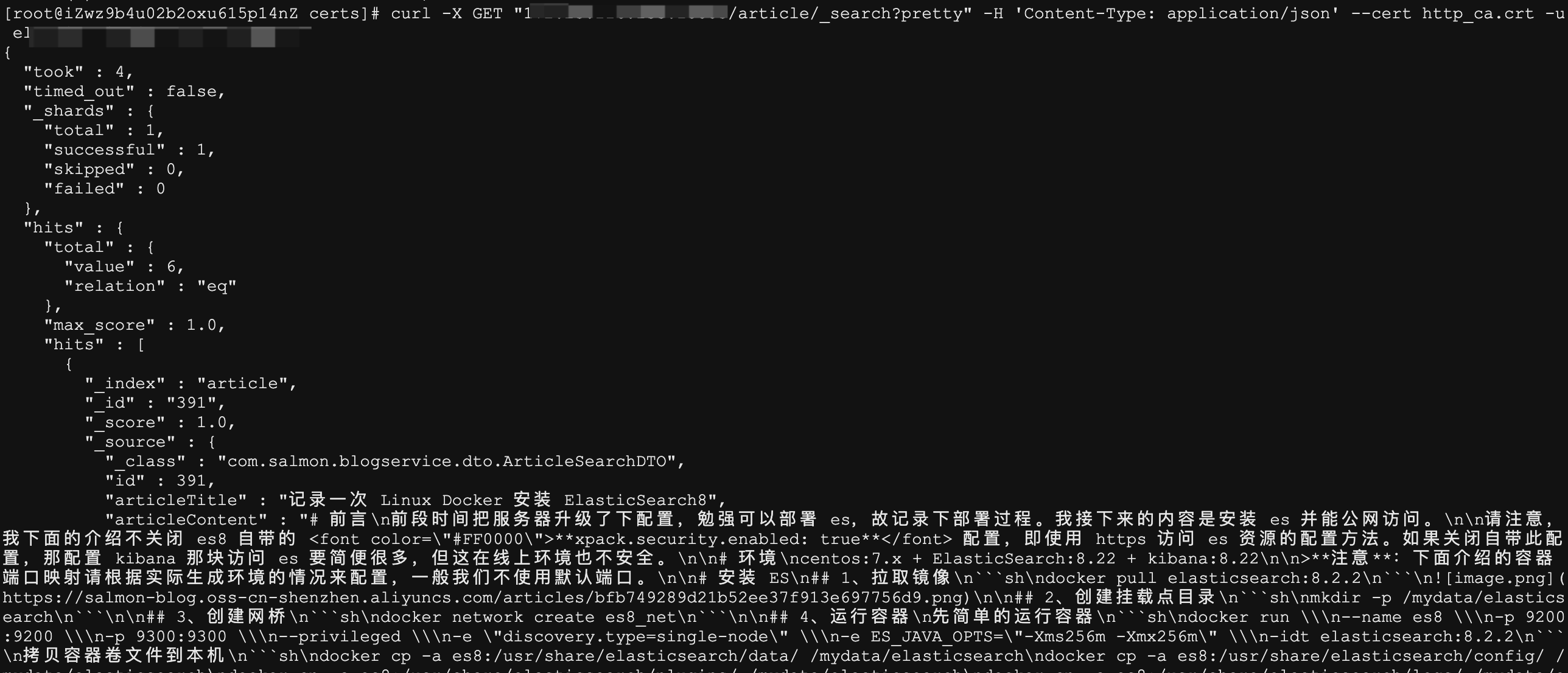
我们首先用 curl 命令测试证书是否有效
sh
curl -X GET "es_ip:es:port/your_index/_search?pretty" -H 'Content-Type: application/json' --cert http_ca.crt -u username:password我的结果如下,可以看到正常
下载证书
我们把它从服务器上下载下来,放到 resource 目录下
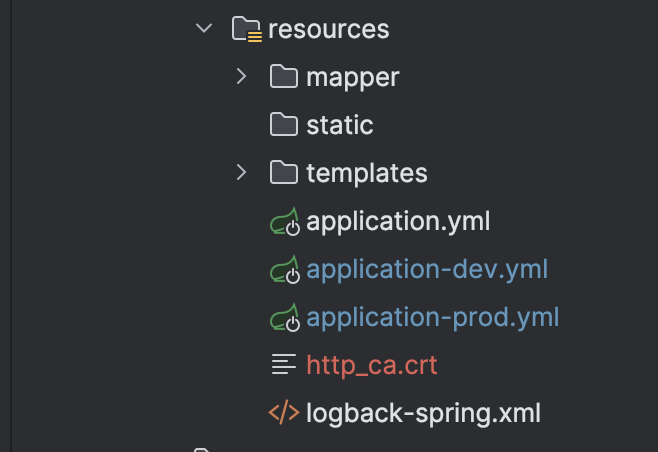
默认路径:es的
config/certs目录下
测试使用 https 连接 es
这里我就不做测试了,后续再做补充。
编写 ES 相关 API 操作
关闭自动创建 index
如果我们要使用自己写的创建 index 方法,就得关闭掉自动创建,因为我这里保留了 springboot-data 的配置,默认是自动为我们创建不存在的 index
java
@Document(indexName = "article", createIndex = false)编写实体
这里我拿我文章的文档实体类举例
java
import lombok.AllArgsConstructor;
import lombok.Builder;
import lombok.Data;
import lombok.NoArgsConstructor;
import org.springframework.data.annotation.Id;
import org.springframework.data.elasticsearch.annotations.Document;
import org.springframework.data.elasticsearch.annotations.Field;
import org.springframework.data.elasticsearch.annotations.FieldType;

/**
 * 搜索文章
 *
 * @author Salmon
 * @since 2024-05-12
 */
@Data
@Builder
@AllArgsConstructor
@NoArgsConstructor
@Document(indexName = "article")
public class ArticleSearchDTO {

    /**
     * 用于适配 springboot-data,查询时可以解析出我们的实体对象
     */
    private String _class;

    /**
     * 文章id
     */
    @Id
    private Integer id;

    /**
     * 文章标题
     */
    @Field(type = FieldType.Text, analyzer = "ik_max_word")
    private String articleTitle;

    /**
     * 文章内容
     */
    @Field(type = FieldType.Text, analyzer = "ik_max_word")
    private String articleContent;

    /**
     * 是否删除
     */
    @Field(type = FieldType.Integer)
    private Integer isDelete;

    /**
     * 文章状态
     */
    @Field(type = FieldType.Integer)
    private Integer status;

    public String get_class() {
        return ArticleSearchDTO.class.getName();
    }
}编写 Service
这里我直接贴代码吧,其中也有注释
java
package com.salmon.blogservice.service.impl;

import co.elastic.clients.elasticsearch.ElasticsearchClient;
import co.elastic.clients.elasticsearch._types.mapping.Property;
import co.elastic.clients.elasticsearch._types.mapping.TypeMapping;
import co.elastic.clients.elasticsearch.core.BulkRequest;
import co.elastic.clients.elasticsearch.core.BulkResponse;
import co.elastic.clients.elasticsearch.core.bulk.BulkResponseItem;
import co.elastic.clients.transport.endpoints.BooleanResponse;
import com.salmon.blogservice.exception.BizException;
import lombok.extern.slf4j.Slf4j;
import org.springframework.data.annotation.Id;
import org.springframework.data.elasticsearch.annotations.Document;
import org.springframework.stereotype.Service;
import org.springframework.util.Assert;
import org.springframework.util.CollectionUtils;
import org.springframework.util.StringUtils;

import javax.annotation.Resource;
import java.io.IOException;
import java.lang.reflect.Field;
import java.util.HashMap;
import java.util.List;
import java.util.Map;

/**
 * ES 相关 API
 *
 * @author Salmon
 * @since 2024-05-12
 */
@Service
@Slf4j
public class ElasticsearchService {

    @Resource(name = "clientByPasswd")
    private ElasticsearchClient client;

    /**
     * 创建索引
     *
     * @param entityType 文档类型
     */
    public void createIndex(Class<?> entityType) {
        String indexName;
        try {
            Document documentAnnotation = entityType.getAnnotation(Document.class);
            if (documentAnnotation == null) {
                throw new IllegalArgumentException("Entity class must be annotated with @Document");
            }
            indexName = documentAnnotation.indexName();
            // 创建索引
            client.indices().create(c -> c.index(indexName).mappings(createMapping(entityType)));
        } catch (IOException e) {
            throw new BizException(String.format("es create index error:class:%s", entityType.getName()), e);
        }
    }

    /**
     * 创建 index 映射
     *
     * @param entityType 文档类型
     * @return 文档类型映射
     */
    private TypeMapping createMapping(Class<?> entityType) {
        TypeMapping.Builder builderMapping = new TypeMapping.Builder();
        Map<String, Property> properties = new HashMap<>();

        // 兼容 springboot-data
        Property.Builder keywordProp = new Property.Builder();
        keywordProp.keyword(k -> k.index(false).docValues(false));
        properties.put("_class", keywordProp.build());

        // 获取该类所有字段
        for (Field field : entityType.getDeclaredFields()) {
            // 获取 springboot data Field 注解
            String fieldName = field.getName();
            if (fieldName.equals("_class")) {
                continue;
            }
            org.springframework.data.elasticsearch.annotations.Field fieldAnnotation = field.getAnnotation(org.springframework.data.elasticsearch.annotations.Field.class);
            // 封装字段映射
            Property.Builder property = new Property.Builder();
            if (fieldAnnotation != null) {
                // 获取字段映射类型
                String type = fieldAnnotation.type().getMappedName();
                if (!StringUtils.hasLength(type)) {
                    throw new BizException("@Field's type value is blank");
                }
                switch (type) {
                    case "long" -> property.long_(l -> l);
                    case "integer" -> property.integer(l -> l);
                    case "boolean" -> property.boolean_(b -> b);
                    case "text" -> {
                        // 获取分析器
                        String analyzer = fieldAnnotation.analyzer();
                        if (StringUtils.hasLength(analyzer)) {
                            property.text(t -> t.analyzer(analyzer));
                        }
                    }
                    case "byte" -> property.binary(b -> b);
                    case "short" -> property.short_(s -> s);
                    default -> throw new BizException("Not support type");
                }
            } else {
                // id 的类型为 long
                if (field.getAnnotation(Id.class) != null) {
                    property.long_(l -> l);

                } else {
                    throw new BizException("Not support type");
                }
            }
            properties.put(fieldName, property.build());
        }
        builderMapping.properties(properties);
        return builderMapping.build();
    }

    /**
     * 判断索引是否存在
     *
     * @param indexName 索引名称
     * @return 存在,则 false
     */
    public boolean hasNotIndex(String indexName) {
        try {
            if (!StringUtils.hasText(indexName)) {
                throw new BizException("IndexName is blank");
            }
            BooleanResponse booleanResponse = client.indices().exists(e -> e.index(indexName));
            return !booleanResponse.value();
        } catch (IOException e) {
            throw new BizException(String.format("es judge index error:%s", indexName), e);
        }
    }

    /**
     * 删除索引
     *
     * @param indexName index名称
     */
    public void deleteIndex(String indexName) {
        log.info("delete index:{}", indexName);
        try {
            if (this.hasNotIndex(indexName)) {
                throw new BizException(String.format("Index [%s] does not exist", indexName));
            }
            client.indices().delete(c -> c.index(indexName));
        } catch (IOException e) {
            throw new BizException(String.format("ES delete index error:%s", indexName), e);
        }
    }


    /**
     * 添加记录
     *
     * @param entity 待保存的文档
     */
    public <T> void saveDocument(T entity) {
        Assert.notNull(entity, "Cannot save 'null' entity");
        try {
            Class<?> entityType = entity.getClass();
            String indexName = entityType.getAnnotation(Document.class).indexName();
            // 索引不存在,则先创建
            if (this.hasNotIndex(indexName)) {
                this.createIndex(entityType);
            }
            Object id = getEntityId(entity, entityType);
            client.index(i -> i.index(indexName).id(id.toString()).document(entity));
        } catch (Exception e) {
            throw new BizException("ES save document error", e);
        }
    }

    /**
     * 获取文档的id
     *
     * @param entity     文档对象
     * @param entityType 文档类型
     * @return id值
     */
    private static <T> Object getEntityId(T entity, Class<?> entityType) throws IllegalAccessException {
        Field field = null;
        for (Field entityTypeField : entityType.getDeclaredFields()) {
            if (entityTypeField.getAnnotation(Id.class) != null) {
                field = entityTypeField;
                break;
            }
        }
        if (field == null) {
            throw new BizException("Id field is not exist");
        }
        field.setAccessible(true);
        Object id = field.get(entity);
        if (id == null) {
            throw new BizException("Id value is null");
        }
        return id;
    }

    /**
     * 批量添加记录
     *
     * @param entities 待保存的文档集合
     */
    public <T> void saveBatchDocument(List<T> entities) {
        try {
            if (CollectionUtils.isEmpty(entities)) {
                throw new BizException("documents are null");
            }
            // 获取当前数据集的类型
            Class<?> entityType = entities.get(0).getClass();
            String indexName = entityType.getAnnotation(Document.class).indexName();
            if (!StringUtils.hasText(indexName)) {
                throw new BizException("IndexName value is null");
            }
            // 没有创建 index,则先创建
            if (this.hasNotIndex(indexName)) {
                this.createIndex(entityType);
            }
            // 构建请求
            BulkRequest.Builder br = new BulkRequest.Builder();
            entities.forEach(entity -> {
                try {
                    Object id = getEntityId(entity, entityType);
                    br.operations(op -> op.index(idx -> idx.index(indexName).id(id.toString()).document(entity)));
                } catch (IllegalAccessException e) {
                    throw new RuntimeException(e);
                }
            });

            // 发起请求
            BulkResponse result = client.bulk(br.build());
            if (result.errors()) {
                log.error("Bulk had errors");
                for (BulkResponseItem item : result.items()) {
                    if (item.error() != null) {
                        log.error(item.error().reason());
                    }
                }
            }

        } catch (Exception e) {
            throw new BizException("Error while batch saving document", e);
        }
    }

    /**
     * 删除文档
     *
     * @param id         主键
     * @param entityType 被 @Document 注解且有 indexName 属性值
     */
    public void delete(Integer id, Class<?> entityType) {
        try {
            String indexName = entityType.getAnnotation(Document.class).indexName();
            if (this.hasNotIndex(indexName)) {
                throw new BizException(String.format("Index [%s] does not exist", indexName));
            }
            client.delete(d -> d.index(indexName).id(id.toString()));
        } catch (Exception e) {
            throw new BizException("Error while deleting document", e);
        }
    }

}编写测试 API 方法
java
@SpringBootTest(webEnvironment = SpringBootTest.WebEnvironment.RANDOM_PORT)
@Slf4j
class BlogServiceApplicationTests {

    @Autowired
    private ElasticsearchService elasticsearchService;

    @Test
    void contextLoads() {
        // 创建 index
        elasticsearchService.createIndex(ArticleSearchDTO.class);
        // 删除 index
        elasticsearchService.deleteIndex("article");
        // 构建文档对象
        ArticleSearchDTO articleSearchDTO = new ArticleSearchDTO();
        articleSearchDTO.setId(1);
        articleSearchDTO.setArticleTitle("学习ES");
        articleSearchDTO.setArticleContent("## hello \n hello world");
        articleSearchDTO.setIsDelete(0);
        articleSearchDTO.setStatus(1);
        // 保存文档
        elasticsearchService.saveDocument(articleSearchDTO);
        // 删除文档
        elasticsearchService.delete(articleSearchDTO.getId(), ArticleSearchDTO.class);
    }

}测试
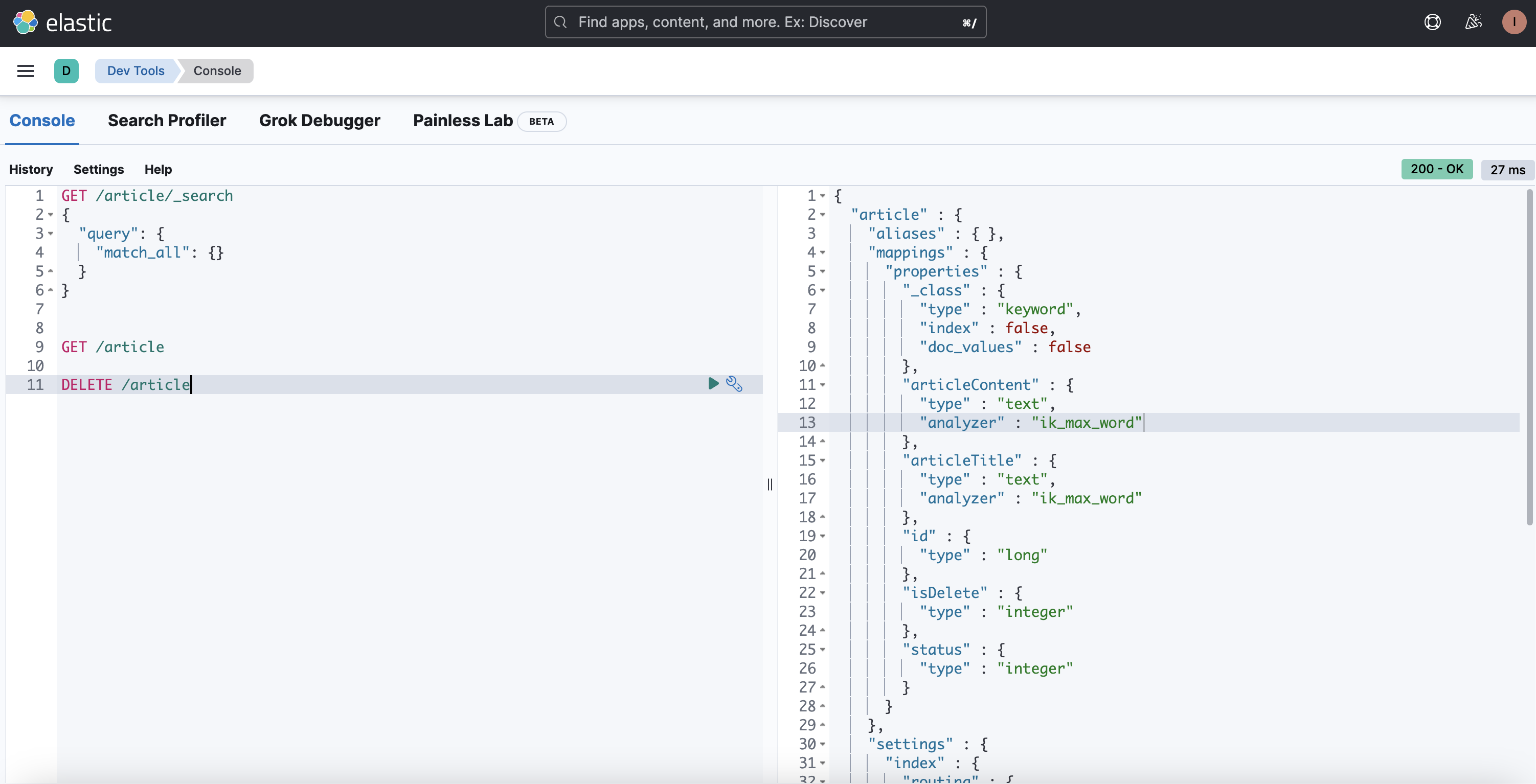
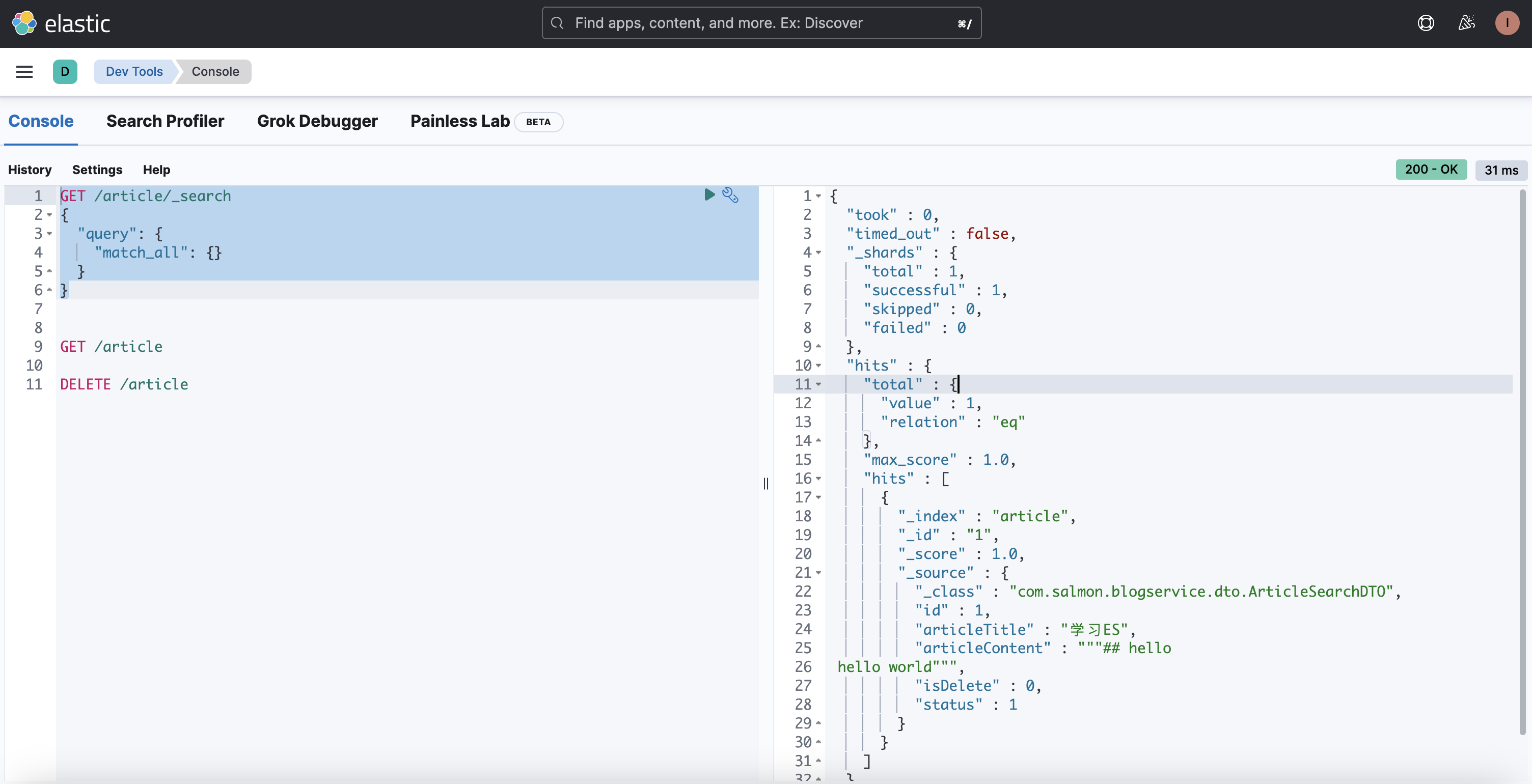
测试的时候记得一个一个 api 测试,容易观察出效果。
测试创建 index,我们可以分别用自己的创建索引方法,或者 springboot-data 为我们自动创建(直接启动测试类即可)
测试创建 document
测试删除 document
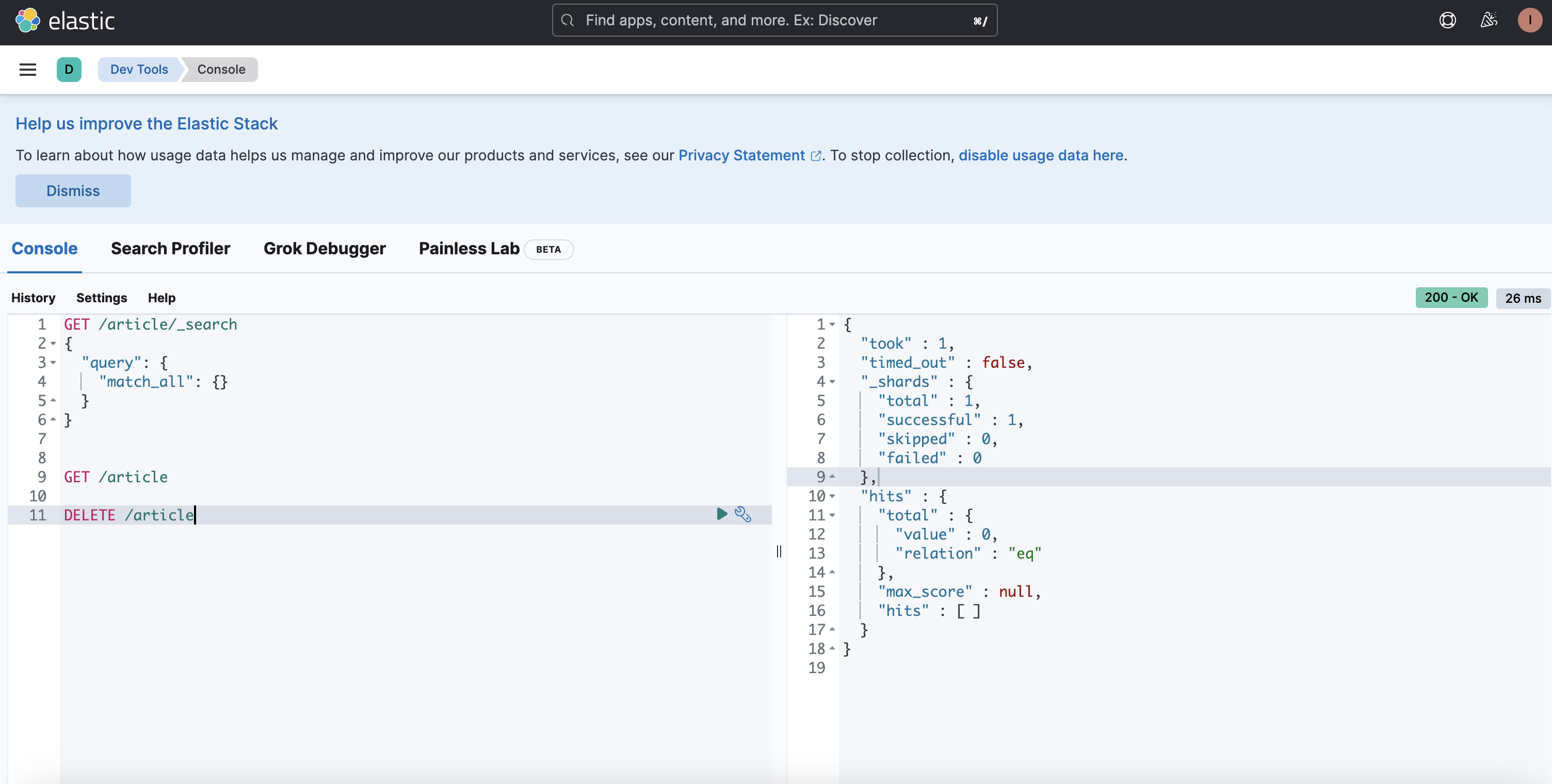
测试删除 index
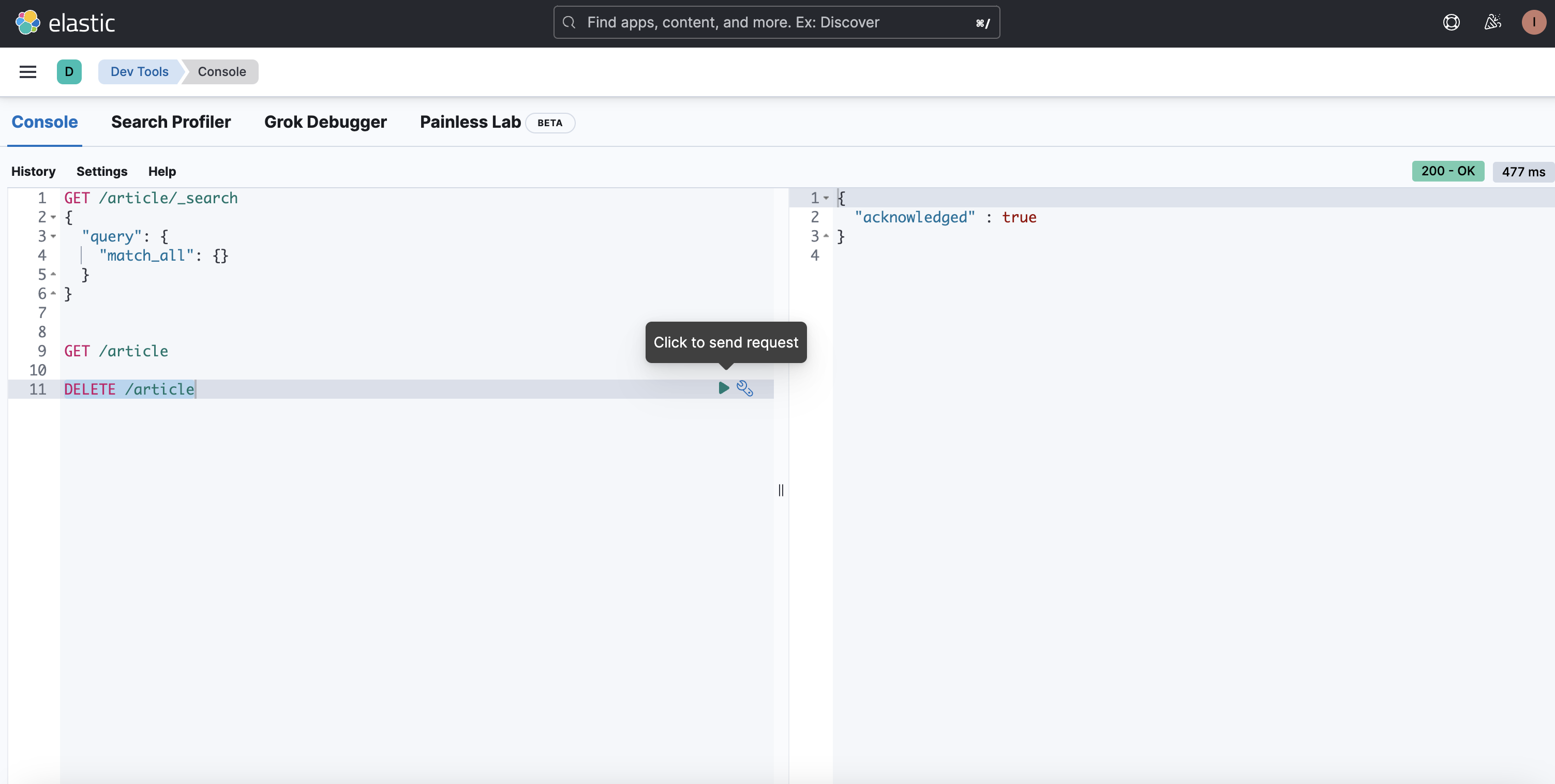
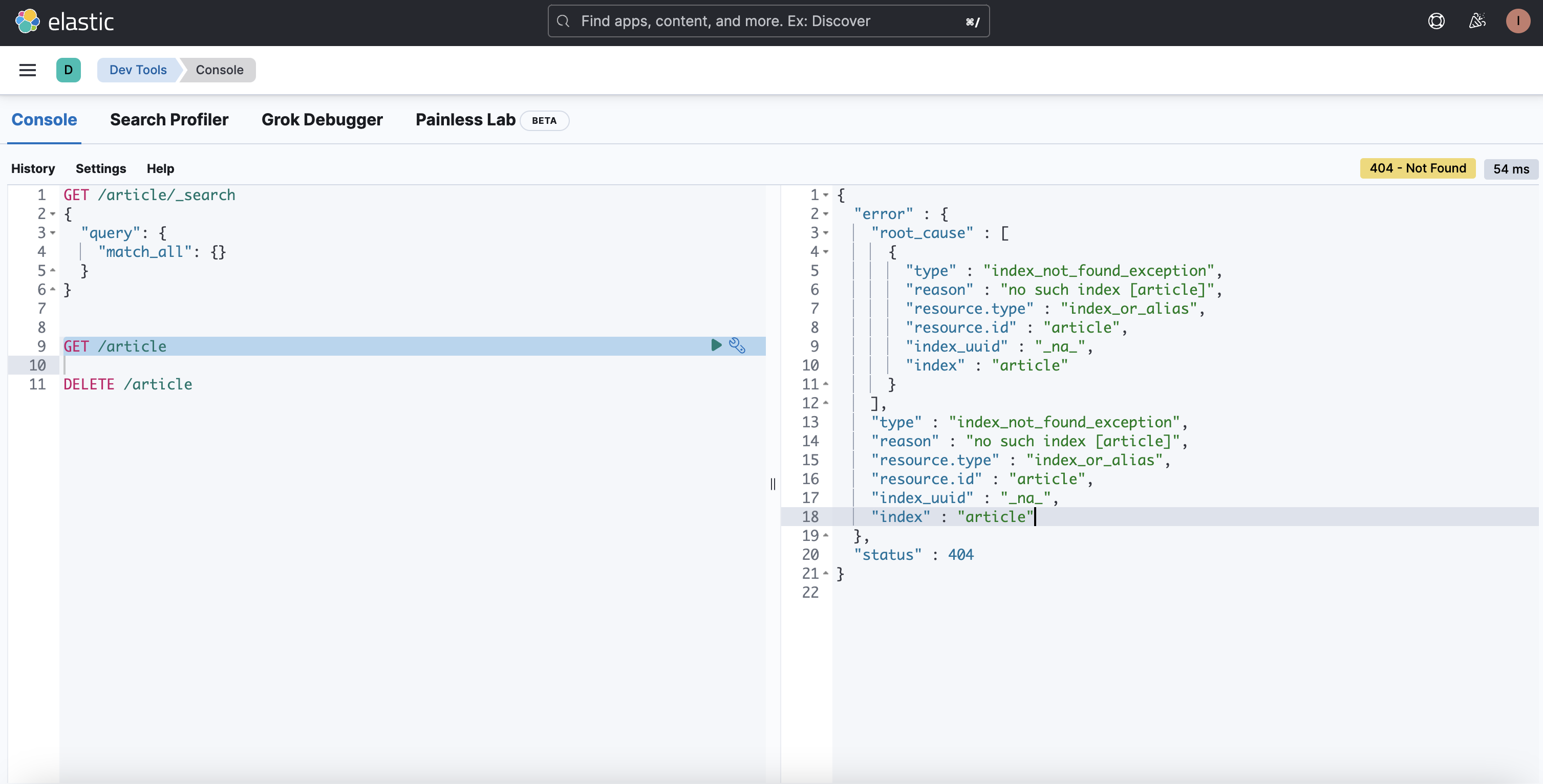
总结
这次升级 es8 的坑是真的多,大折腾,不过好在都解决了。