解决异常:Vue2 启动报错 You may need an appropriate loader to handle this file type
AI 摘要salmon-ai
本文详细解析了 Vue2 项目在重新安装依赖后启动报错“You may need an a
异常
今天不小心删除了老项目的 node_modules 目录,并重新安装依赖后,启动时遇到了以下报错:
bash
 ERROR  Failed to compile with 1 error                                                                                                                                                                                   3:17:28 AM

 error  in ./node_modules/tocbot/src/js/index-esm.js

Module parse failed: Unexpected token (98:8)
You may need an appropriate loader to handle this file type, currently no loaders are configured to process this file. See https://webpack.js.org/concepts#loaders
|
|     const isTop =
>       e?.target?.scrollingElement && e.target.scrollingElement.scrollTop === 0
|     if ((e && (e.eventPhase === 0 || e.currentTarget === null)) || isTop) {
|       _buildHtml.updateToc(_headingsArray)

 @ ./node_modules/tocbot/index.js 1:0-62 2:17-24 2:26-30 2:32-39 4:0-33 4:0-33 4:0-33
 @ ./node_modules/cache-loader/dist/cjs.js??ref--13-0!./node_modules/babel-loader/lib!./node_modules/cache-loader/dist/cjs.js??ref--1-0!./node_modules/vue-loader/lib??vue-loader-options!./src/views/article/Article.vue?vue&type=script&lang=js
 @ ./src/views/article/Article.vue?vue&type=script&lang=js
 @ ./src/views/article/Article.vue
 @ ./src/router/index.js
 @ ./src/main.js
@ multi (webpack)-dev-server/client?http://192.168.10.210:3260&sockPath=/sockjs-node (webpack)/hot/dev-server.js ./src/main.js从错误信息来看,问题出在 tocbot 库的 index-esm.js 文件中使用了可选链操作符 ?.,而当前的 Webpack 配置并未正确处理这种语法。
解决
为了修复这个问题,只需要在项目的 vue.config.js 文件中添加一个配置项,让 Webpack 在构建时对 tocbot 库进行转译。
具体的解决步骤如下:
- 打开项目根目录下的 vue.config.js 文件(如果没有该文件,请创建一个)。
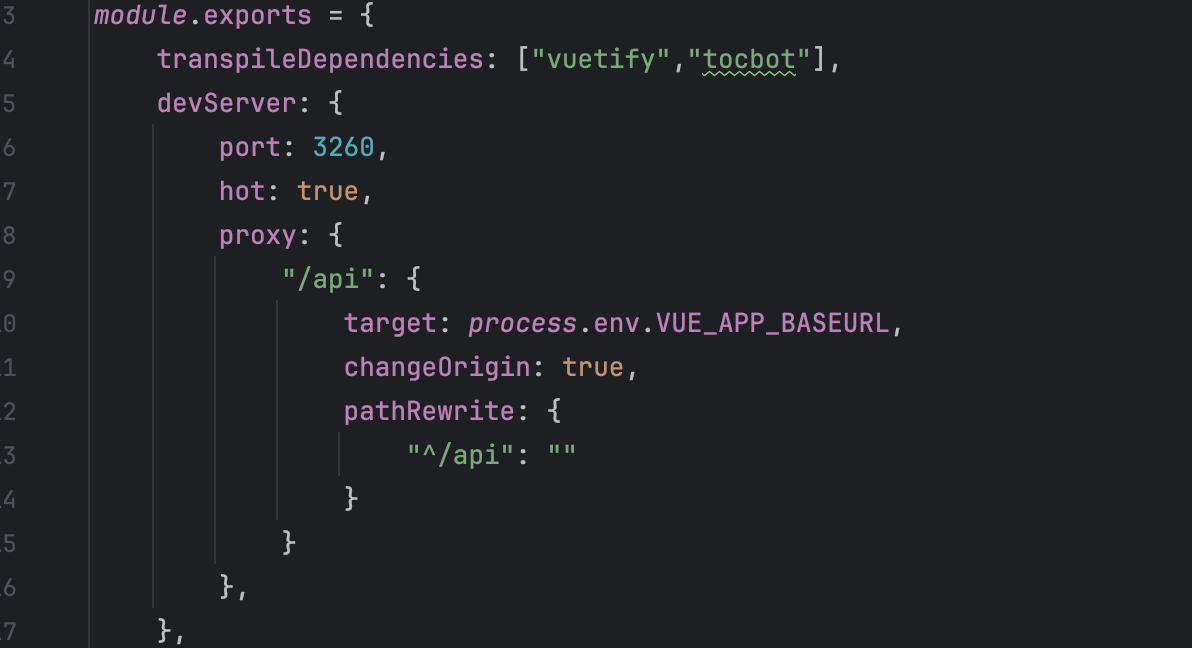
- 在配置文件中添加 transpileDependencies 配置项,指定将 tocbot 进行转译:
js
module.exports = {
  transpileDependencies: ['tocbot']
}
3. 保存文件并重新启动项目。
通过这样简单的配置,WebPack 会在构建过程中正确地处理 tocbot 库中的现代 JavaScript 语法(如可选链操作符 ?.),解决了编译错误。
希望这个版本更加清晰、简洁,且易于读者理解!
评论
0 条—
还没有评论,来说第一句