使用 ChatGPT 做一个简单的公司官网并部署到 GitHub
AI 摘要鱼粮不足,AI 今天先歇着 · 正文在下面
教程
制作网页
把需求喂给 ChatGPT,就能生成简单的一个网站首页啦
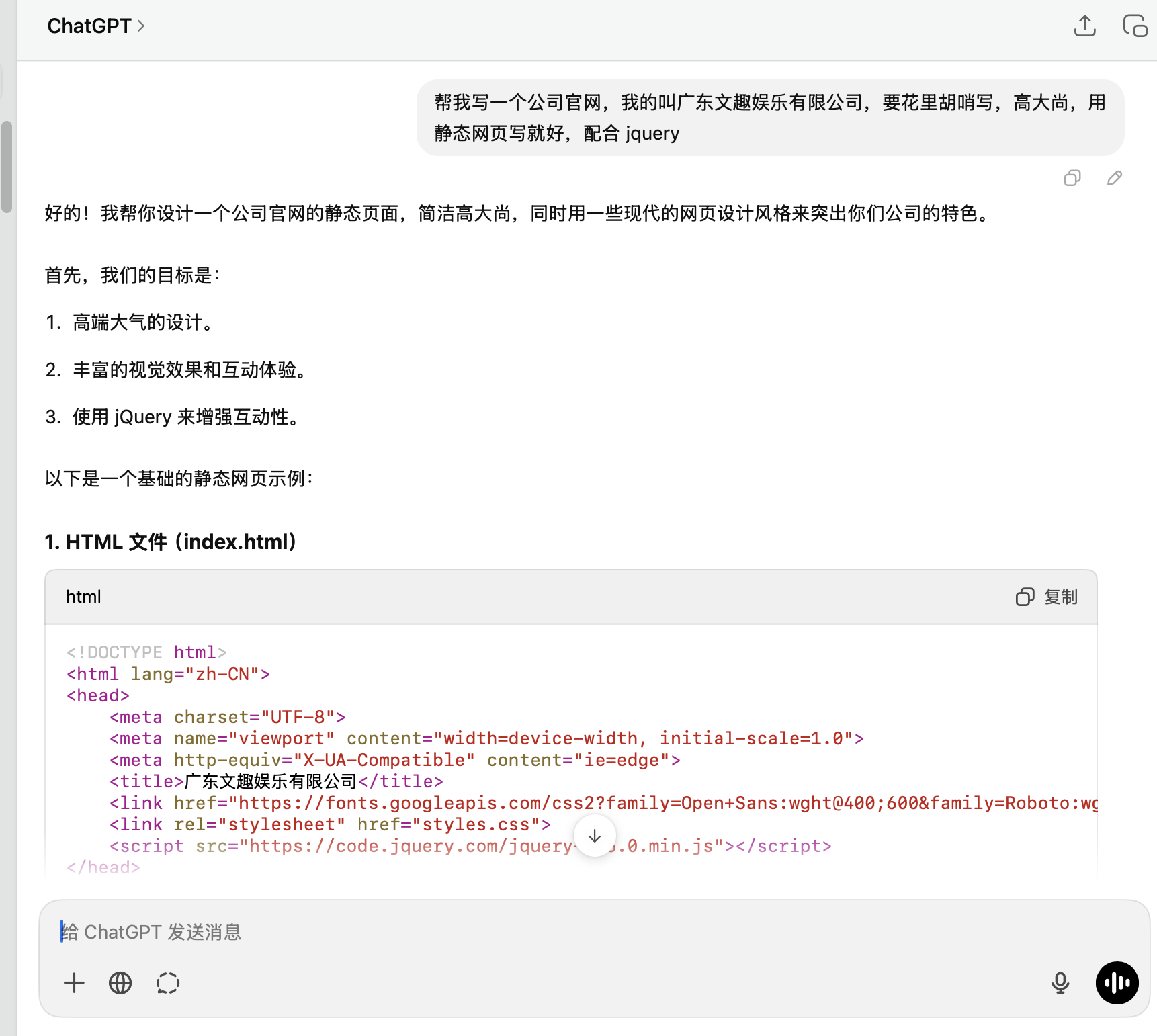
html
<!DOCTYPE html>
<html lang="zh-CN">
<head>
<meta charset="UTF-8">
<meta name="viewport" content="width=device-width, initial-scale=1.0">
<meta http-equiv="X-UA-Compatible" content="ie=edge">
<title>广东文趣娱乐有限公司</title>
<link href="https://fonts.googleapis.com/css2?family=Open+Sans:wght@400;600&family=Roboto:wght@300;400&display=swap" rel="stylesheet">
<!-- CSS 样式 -->
<style>
* {
margin: 0;
padding: 0;
box-sizing: border-box;
}
body {
font-family: 'Open Sans', sans-serif;
line-height: 1.6;
}
header {
background-color: #2c3e50;
color: #fff;
padding: 20px;
position: fixed;
width: 100%;
top: 0;
left: 0;
z-index: 1000;
}
nav .logo img {
width: 150px;
}
nav .menu {
list-style: none;
float: right;
}
nav .menu li {
display: inline-block;
margin: 0 15px;
}
nav .menu li a {
text-decoration: none;
color: #fff;
font-weight: 600;
transition: all 0.3s ease;
}
nav .menu li a:hover {
color: #e74c3c;
}
.hero {
background: url('hero-image.jpg') no-repeat center center/cover;
height: 100vh;
display: flex;
justify-content: center;
align-items: center;
color: #fff;
text-align: center;
position: relative;
padding: 0 20px;
}
.hero-content h1 {
font-size: 3rem;
margin-bottom: 20px;
}
.hero-content p {
font-size: 1.2rem;
margin-bottom: 30px;
}
.cta-button {
background-color: #e74c3c;
padding: 10px 30px;
color: #fff;
text-decoration: none;
border-radius: 30px;
font-size: 1.1rem;
}
.about-us, .services, .contact {
padding: 60px 20px;
text-align: center;
}
.services .service-list {
display: flex;
justify-content: space-around;
margin-top: 20px;
}
.services .service-item {
width: 30%;
padding: 20px;
background-color: #ecf0f1;
border-radius: 10px;
}
footer {
background-color: #2c3e50;
color: #fff;
text-align: center;
padding: 10px;
position: fixed;
bottom: 0;
width: 100%;
}
</style>
</head>
<body>
<header>
<nav>
<div class="logo">
<img src="logo.png" alt="广东文趣娱乐有限公司">
</div>
<ul class="menu">
<li><a href="#home">首页</a></li>
<li><a href="#about">关于我们</a></li>
<li><a href="#services">服务</a></li>
<li><a href="#contact">联系我们</a></li>
</ul>
</nav>
</header>
<section id="home" class="hero">
<div class="hero-content">
<h1>欢迎来到广东文趣娱乐有限公司</h1>
<p>引领娱乐行业新潮流,创造精彩未来</p>
<a href="#contact" class="cta-button">联系我们</a>
</div>
</section>
<section id="about" class="about-us">
<div class="content">
<h2>关于我们</h2>
<p>广东文趣娱乐有限公司致力于打造全球领先的娱乐内容平台,我们提供多样化的娱乐解决方案,从影视制作到数字娱乐,为全球用户带来最优质的娱乐体验。</p>
</div>
</section>
<section id="services" class="services">
<h2>我们的服务</h2>
<div class="service-list">
<div class="service-item">
<h3>影视制作</h3>
<p>我们提供高质量的影视制作服务,包括剧本创作、拍摄制作、后期剪辑等。</p>
</div>
<div class="service-item">
<h3>数字娱乐</h3>
<p>我们涉足多种数字娱乐领域,打造创新的互动内容与娱乐产品。</p>
</div>
<div class="service-item">
<h3>品牌推广</h3>
<p>我们为企业提供定制化的品牌推广服务,助力品牌脱颖而出。</p>
</div>
</div>
</section>
<section id="contact" class="contact">
<h2>联系我们</h2>
<form action="#">
<input type="text" placeholder="姓名" required>
<input type="email" placeholder="电子邮件" required>
<textarea placeholder="留言" required></textarea>
<button type="submit">提交</button>
</form>
</section>
<footer>
<p>© 2025 广东文趣娱乐有限公司 | All Rights Reserved</p>
</footer>
<!-- jQuery 和 JS 脚本 -->
<script src="https://code.jquery.com/jquery-3.6.0.min.js"></script>
<script>
$(document).ready(function() {
// Scroll effect for navigation
$("nav .menu li a").on("click", function(e) {
e.preventDefault();
var targetId = $(this).attr("href").substring(1);
$('html, body').animate({
scrollTop: $("#" + targetId).offset().top - 60
}, 800);
});
// Smooth scroll effect for CTA button
$(".cta-button").on("click", function(e) {
e.preventDefault();
$('html, body').animate({
scrollTop: $("#contact").offset().top - 60
}, 800);
});
});
</script>
</body>
</html>本地预览
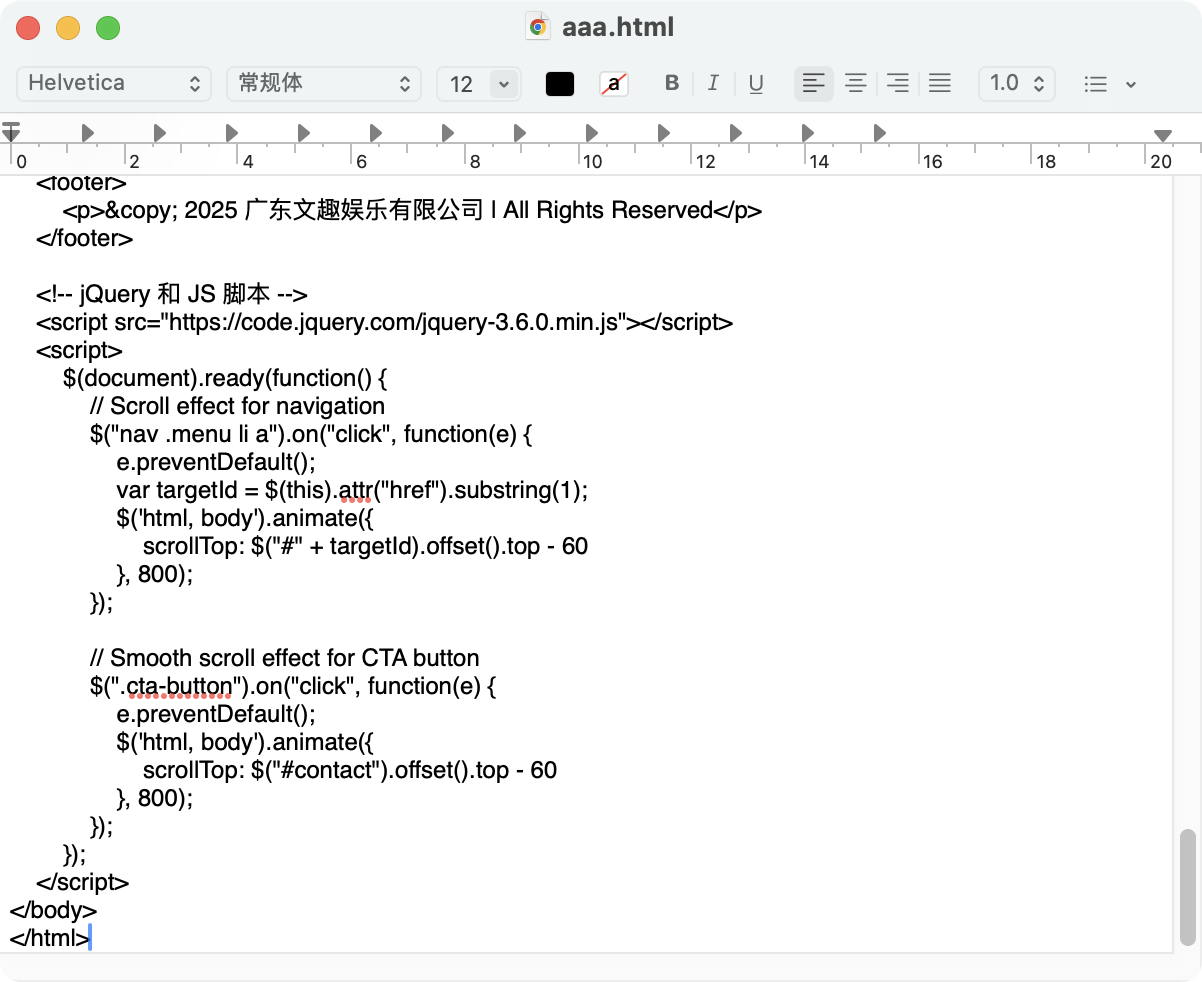
创建一个 html 文件 aaa.html,把生成的代码粘贴进去
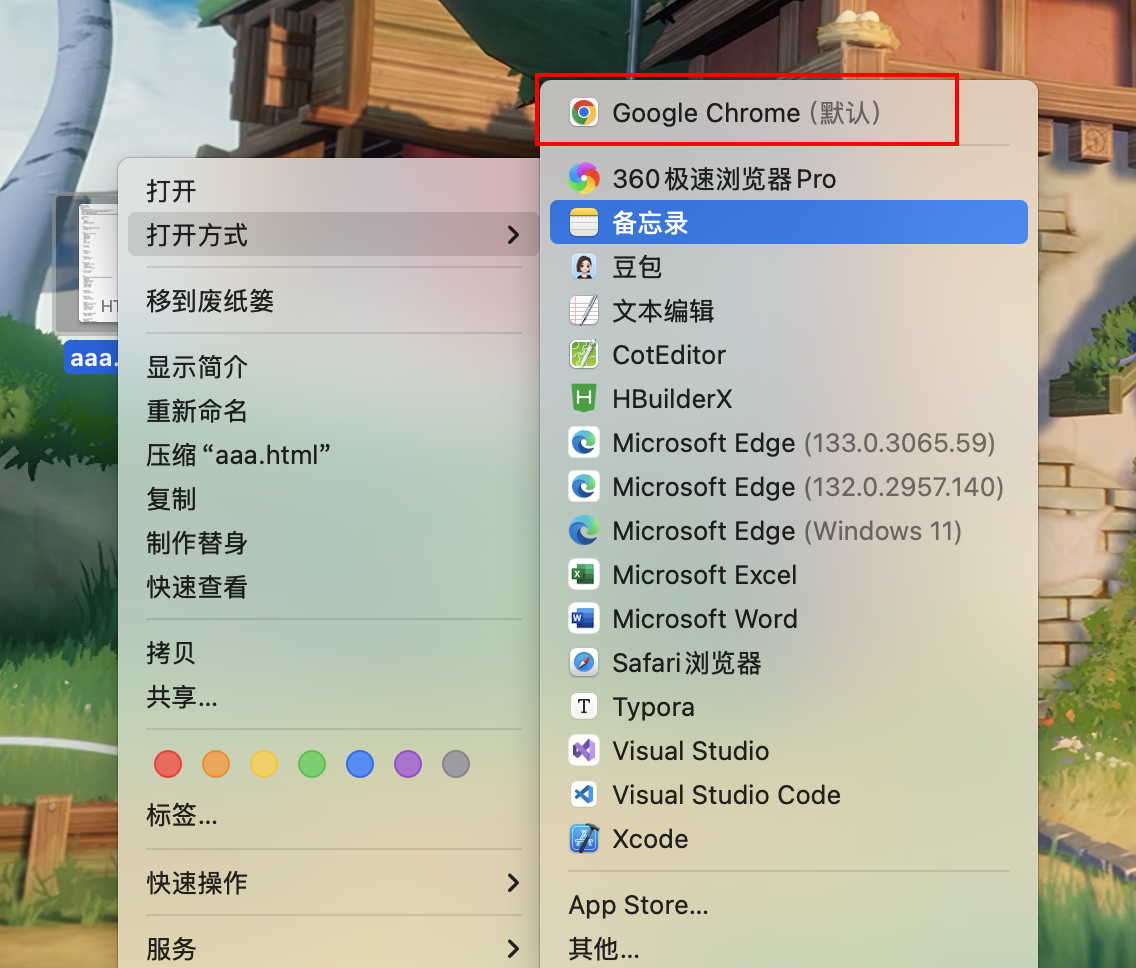
然后选择打开方式
就能看到网页效果啦
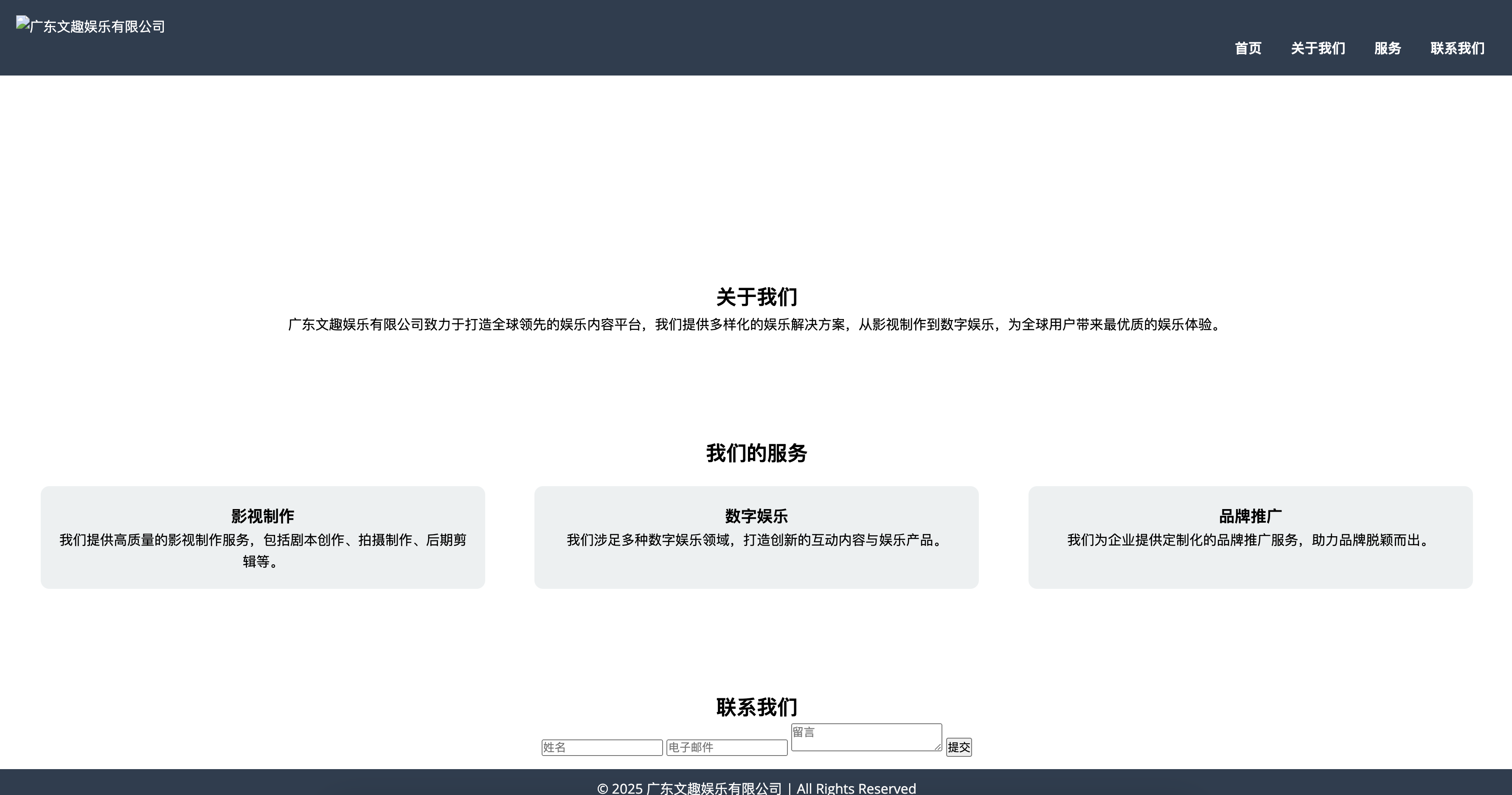
不过由于图片是假的,可以百度找一些真实的图片链接替换上去
Github 部署
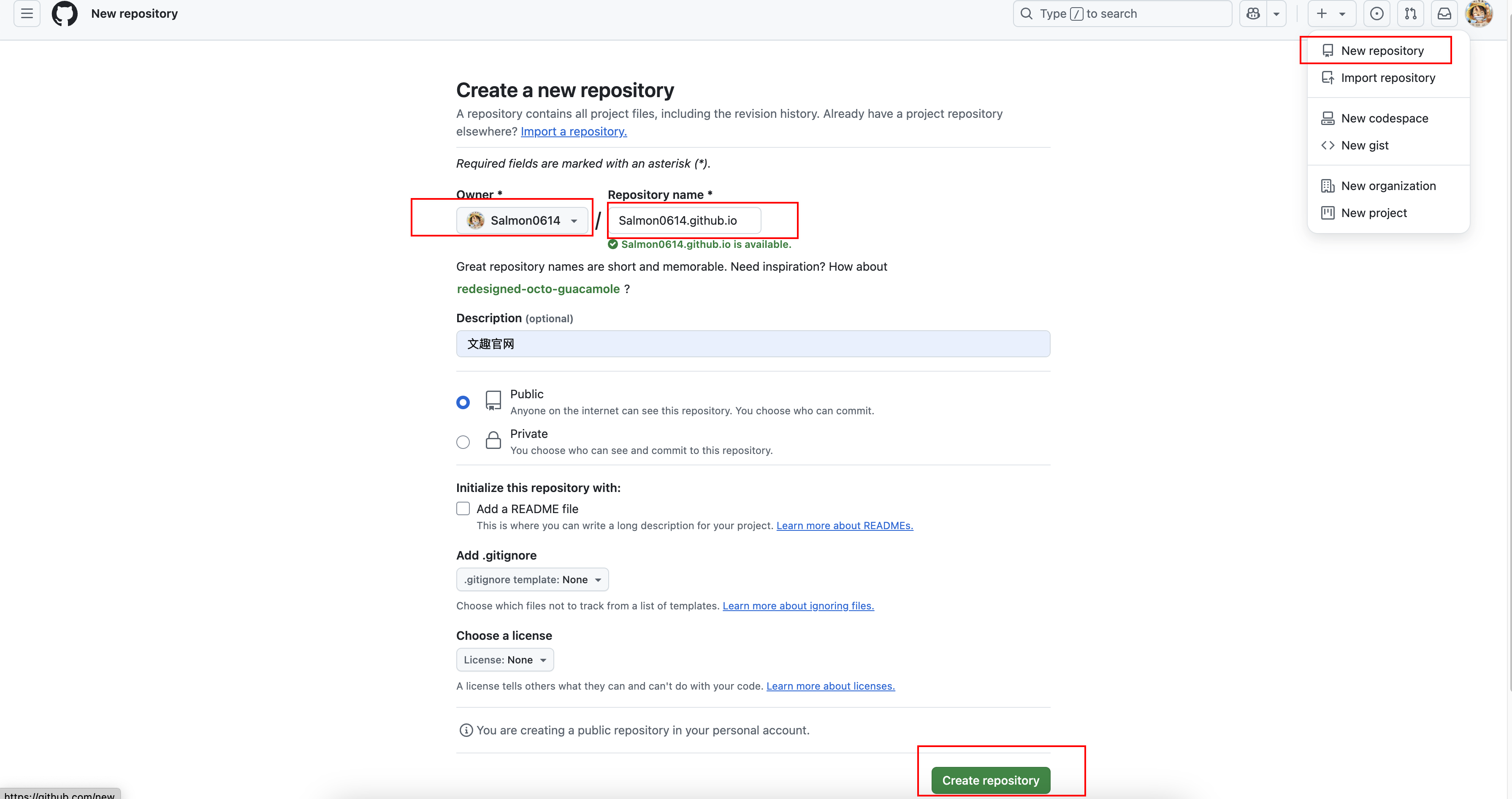
访问 https://github.com/,然后先进行注册登录,然后创建仓库,必须是 用户名.github.io结尾的
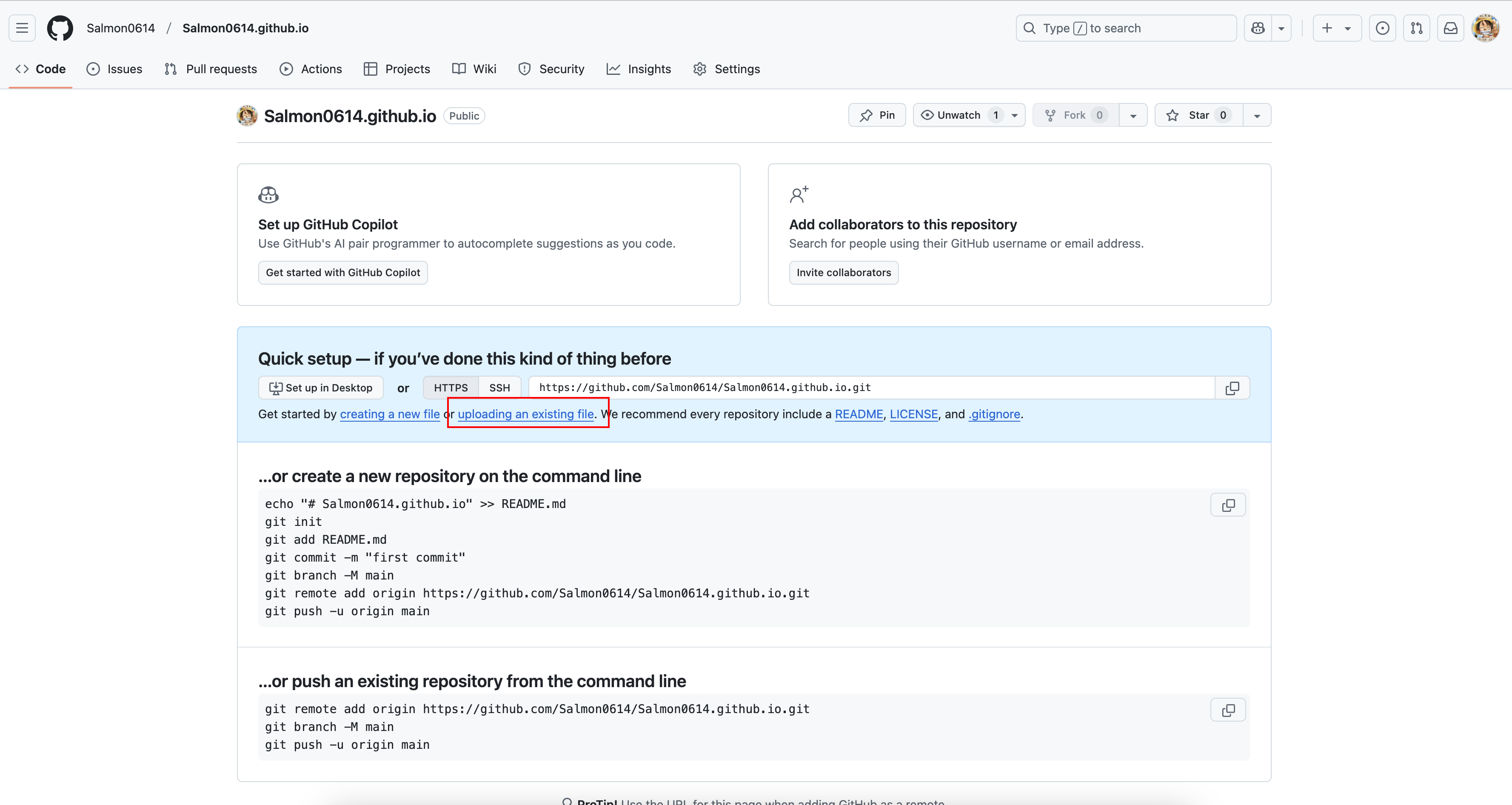
将刚刚的静态页面上传
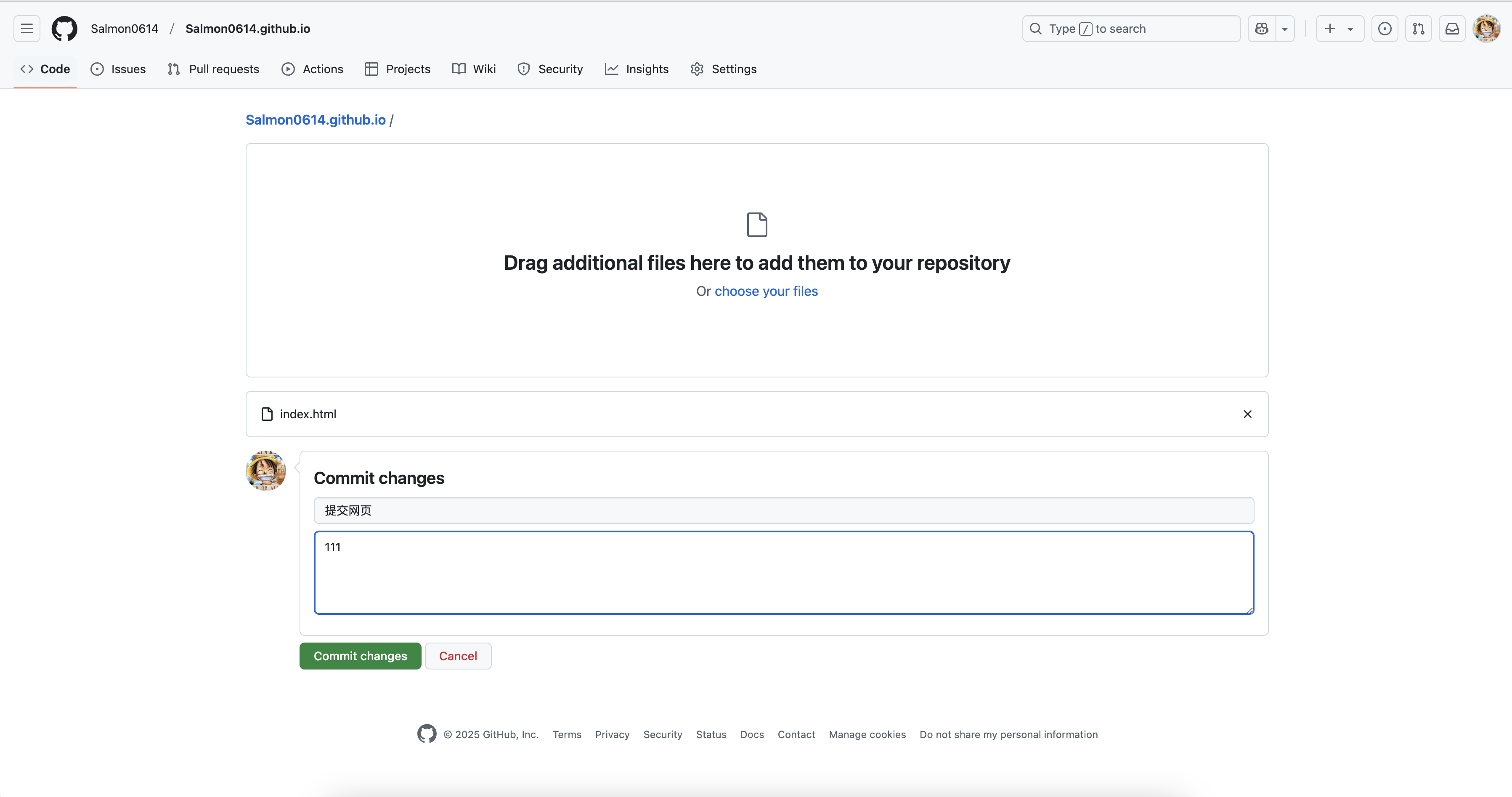
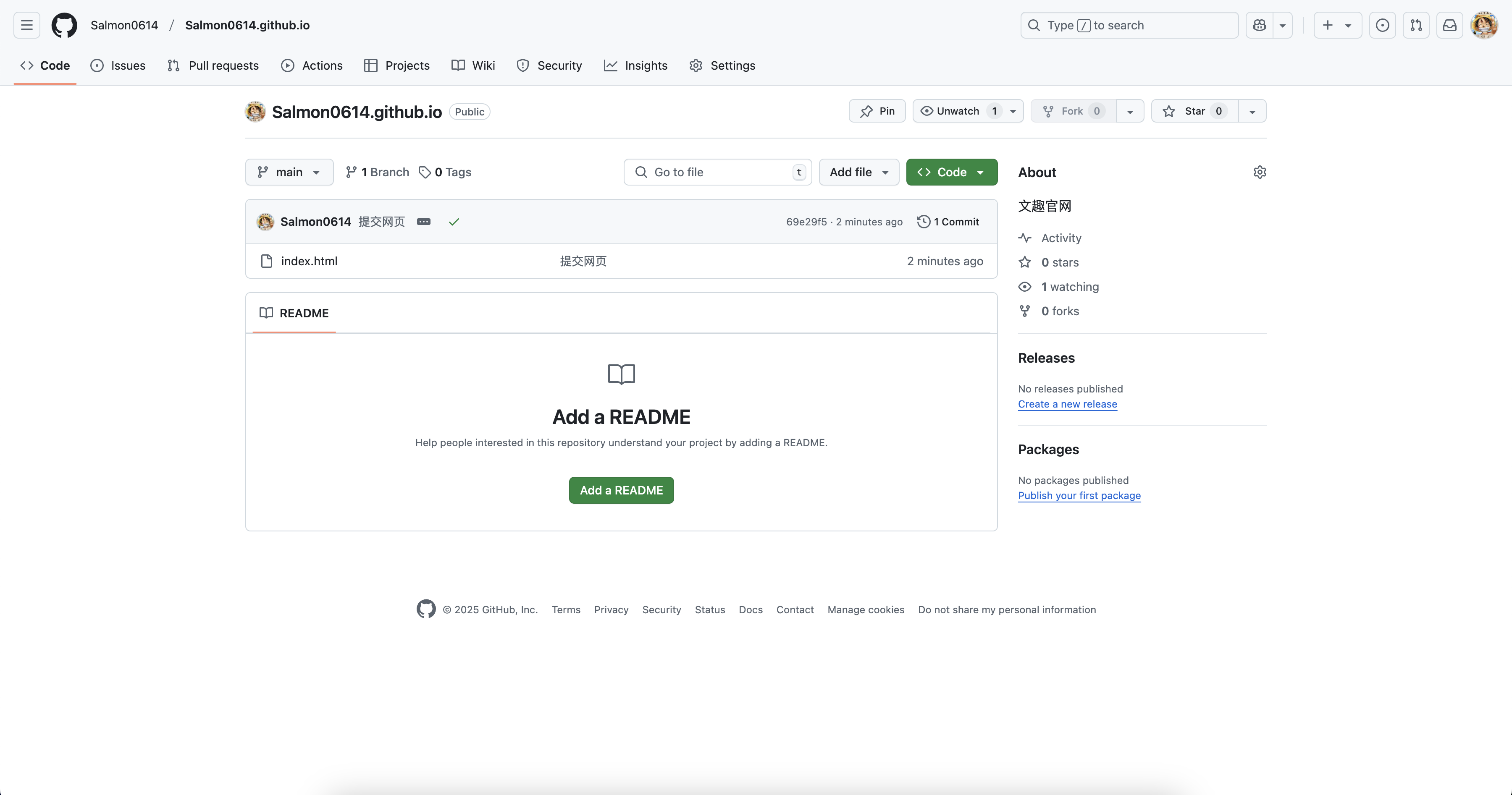
可以看到我们上传的网页啦
配置 GitHub Page
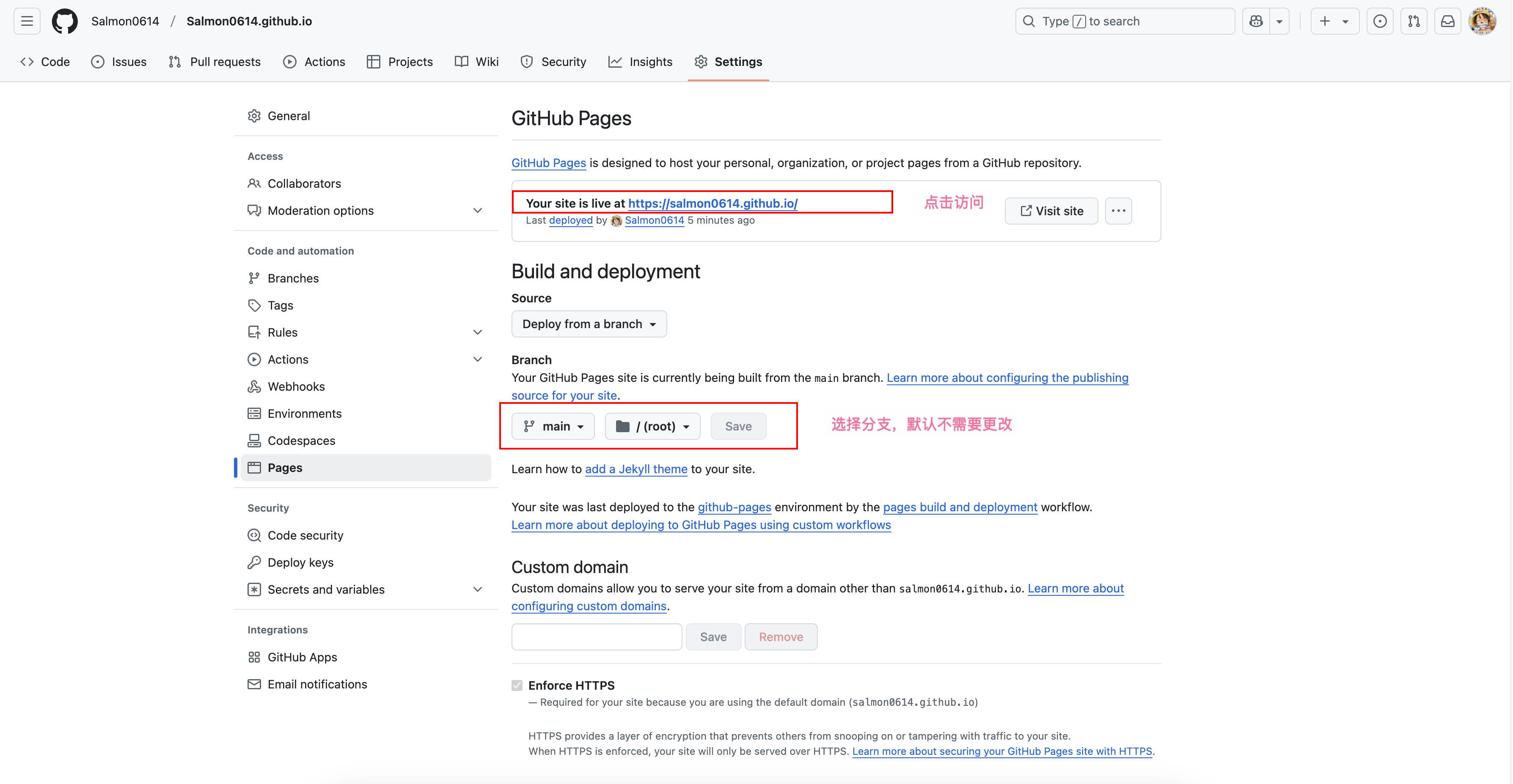
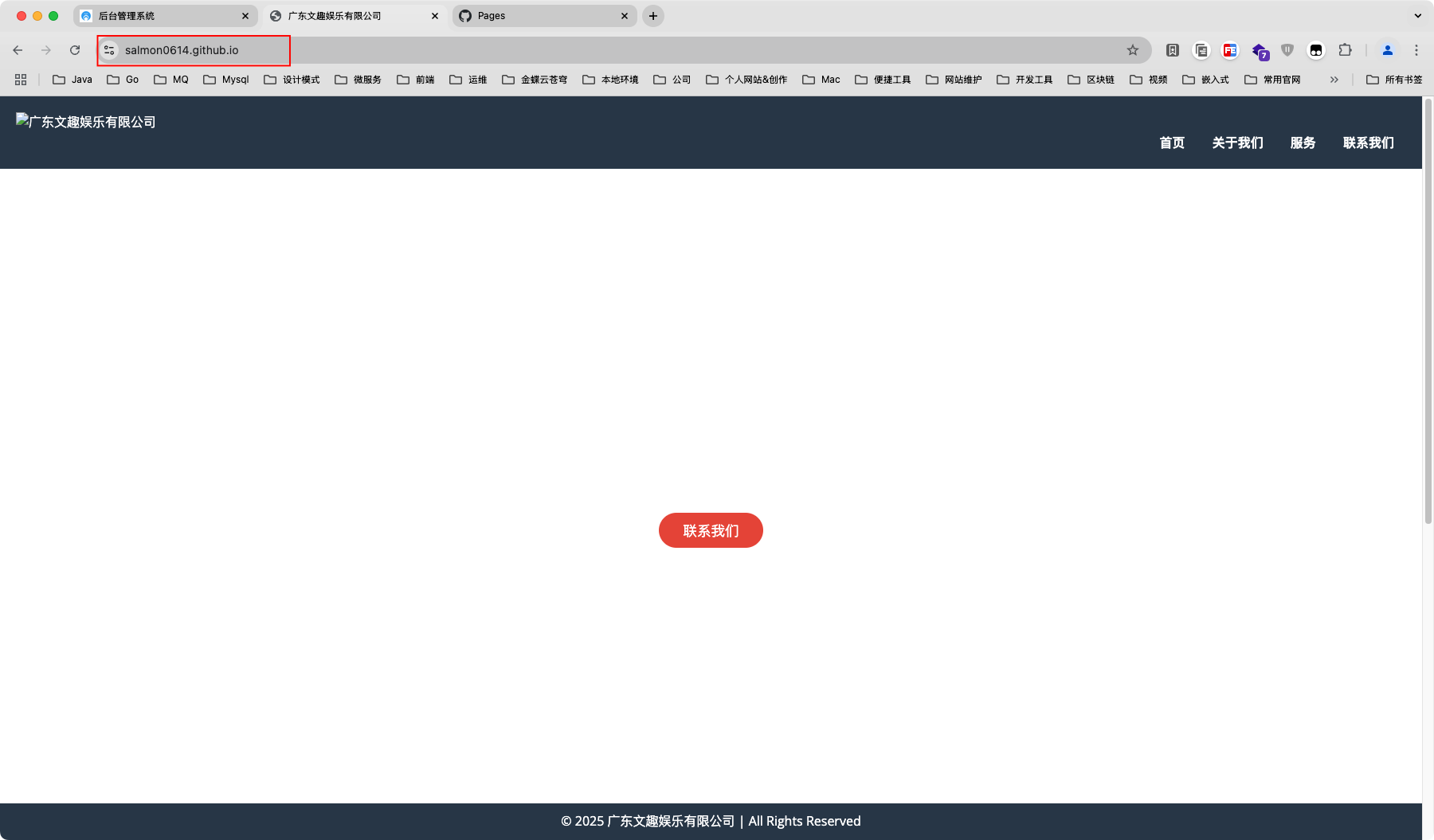
访问
大概等待几十秒,访问:https://用户名.github.io/,即可看到部署的第一个属于自己的静态网站啦,可以看到部署成功了
评论
0 条—
还没有评论,来说第一句