解决异常:onDestroy中清理资源出错: You cannot start a load for a destroyed activity
AI 摘要salmon-ai
本文详细解析了在 Activity 的 onDestroy 中清理 Glide 资源时出现“You cannot s
异常问题
在 MainActivity.onDestroy() 方法中调用了 Glide 的 Glide.with(this) 去加载图片,而此时 Activity 已经被销毁,因此 Glide 抛出了异常。
java
2025-06-02 03:08:32.869 19879-19879 MainActivity            pid-19879                            E  onDestroy中清理资源出错: You cannot start a load for a destroyed activity
java.lang.IllegalArgumentException: You cannot start a load for a destroyed activity
at com.bumptech.glide.manager.RequestManagerRetriever.assertNotDestroyed(RequestManagerRetriever.java:366)
at com.bumptech.glide.manager.RequestManagerRetriever.get(RequestManagerRetriever.java:154)
at com.bumptech.glide.Glide.with(Glide.java:570)
at com.example.test.MainActivity.onDestroy(MainActivity.java:1699)
at android.app.Activity.performDestroy(Activity.java:9460)
at android.app.Instrumentation.callActivityOnDestroy(Instrumentation.java:1556)
at android.app.ActivityThread.performDestroyActivity(ActivityThread.java:6256)
at android.app.ActivityThread.handleDestroyActivity(ActivityThread.java:6301)
at android.app.servertransaction.DestroyActivityItem.execute(DestroyActivityItem.java:52)
at android.app.servertransaction.ActivityTransactionItem.execute(ActivityTransactionItem.java:63)
at android.app.servertransaction.TransactionExecutor.executeLifecycleItem(TransactionExecutor.java:169)
at android.app.servertransaction.TransactionExecutor.executeTransactionItems(TransactionExecutor.java:101)
at android.app.servertransaction.TransactionExecutor.execute(TransactionExecutor.java:80)
at android.app.ActivityThread$H.handleMessage(ActivityThread.java:2823)
at android.os.Handler.dispatchMessage(Handler.java:110)
at android.os.Looper.loopOnce(Looper.java:248)
at android.os.Looper.loop(Looper.java:338)
at android.app.ActivityThread.main(ActivityThread.java:9067)
at java.lang.reflect.Method.invoke(Native Method)
at com.android.internal.os.RuntimeInit$MethodAndArgsCaller.run(RuntimeInit.java:593)
at com.android.internal.os.ZygoteInit.main(ZygoteInit.java:932)
2025-06-02 03:08:45.058   635-1049  NotificationService     system_server                        E  Package has already queued 5 toasts. Not showing more. Package=com.example.test
2025-06-02 03:12:07.810   635-760   InputDispatcher         system_server                        E  channel 'f521e03 com.example.test/com.example.test.MainActivity' ~ Channel is unrecoverably broken and will be disposed!
2025-06-02 03:24:00.181   635-760   InputDispatcher         system_server                        E  channel '3510d10 com.example.test/com.example.test.MainActivity' ~ Channel is unrecoverably broken and will be disposed!
--------- beginning of crash
2025-06-02 03:31:45.639   635-760   InputDispatcher         system_server                        E  channel 'c4c51e0 com.example.test/com.example.test.MainActivity' ~ Channel is unrecoverably broken and will be disposed!
2025-06-02 03:38:25.422   635-760   InputDispatcher         system_server                        E  channel '5177cd6 com.example.test/com.example.test.MainActivity' ~ Channel is unrecoverably broken and will be disposed!
---------------------------- PROCESS STARTED (20718) for package com.example.test ----------------------------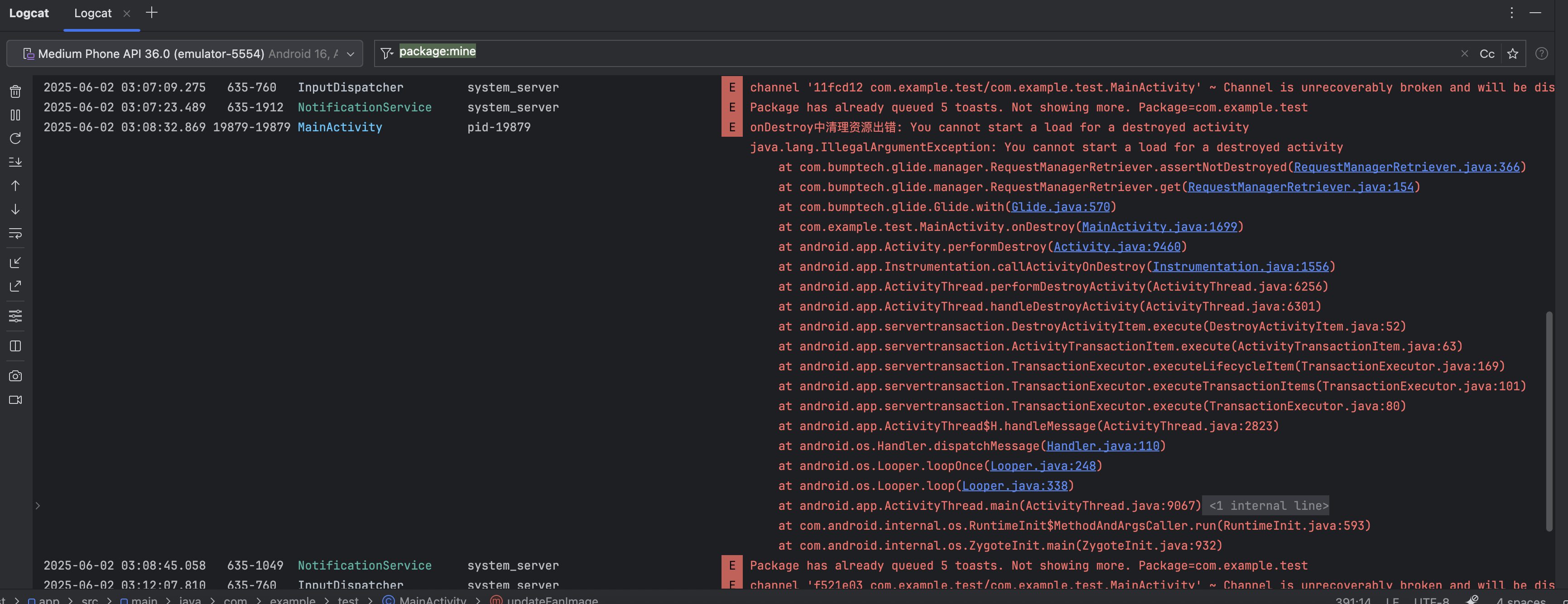
问题代码
java
@Override
    protected void onDestroy() {
        super.onDestroy();
        try {
            // 清理Glide资源
            if (imgFan != null) {
                Glide.with(this).clear(imgFan);
            }
            if (imgAC != null) {
                Glide.with(this).clear(imgAC);
            }
            if (imgLight != null) {
                Glide.with(this).clear(imgLight);
            }

            // 清理设备状态管理器
            if (deviceStateManager != null) {
                deviceStateManager = null;
            }

            // 释放API资源
            if (nleCloudAPI != null) {
                nleCloudAPI = null;
            }
        } catch (Exception e) {
            Log.e(TAG, "onDestroy中清理资源出错: " + e.getMessage(), e);
        }
}解决
我们需要避免在 Activity 已被销毁后再通过 Glide.with(this) 获取上下文。正确做法是改用 getApplicationContext(),它在 Activity 生命周期之外依然有效,同时不依赖 UI 生命周期。
java
    @Override
    protected void onDestroy() {
        super.onDestroy();
        try {
            // 获取 ApplicationContext 避免 Activity 已销毁问题
            Context context = getApplicationContext();
            // 清理Glide资源
            if (imgFan != null) {
                Glide.with(context).clear(imgFan);
            }
            if (imgAC != null) {
                Glide.with(context).clear(imgAC);
            }
            if (imgLight != null) {
                Glide.with(context).clear(imgLight);
            }

            // 清理设备状态管理器
            if (deviceStateManager != null) {
                deviceStateManager = null;
            }

            // 释放API资源
            if (nleCloudAPI != null) {
                nleCloudAPI = null;
            }
        } catch (Exception e) {
            Log.e(TAG, "onDestroy中清理资源出错: " + e.getMessage(), e);
        }
}评论
0 条—
还没有评论,来说第一句